[pci-cat-slider slidestoshow="4" exclude_cat="4" show_count="false"]
Office relocation and data migration article featured image thumb.

Streamlining Your Move – The Advantages of Hiring Professionals for Office Relocation and Data Migration

Office relocation and data migration article featured image.

Streamlining Your Move: The Advantages of Hiring Professionals for Office Relocation and Data Migration

In today’s fast-paced business world, office relocations and data migrations are becoming increasingly common. Whether you’re expanding, downsizing, or simply moving to a more suitable location, these processes can be complex and time-consuming. This article explores the benefits of hiring a professional company to handle your office relocation and data migration needs, while also considering some potential drawbacks.

The Pros of Professional Assistance

1. Expertise and Experience

Professional relocation and data migration companies bring a wealth of experience to the table. They’ve handled numerous moves across various industries, giving them insights into potential pitfalls and best practices that your in-house team might not have.

2. Time and Cost Efficiency

While it might seem counterintuitive, hiring professionals can often save you money in the long run. They work efficiently, minimising downtime and reducing the risk of costly mistakes. Your employees can focus on their regular duties instead of being bogged down by the move.

3. Comprehensive Project Management

A professional company will provide end-to-end project management, from initial planning to final implementation. This includes:

  • Creating detailed timelines and checklists
  • Coordinating with various stakeholders
  • Managing logistics and transportation
  • Ensuring compliance with regulations and best practices

4. Advanced Tools and Technologies

Professional firms have access to specialised tools and technologies for data migration and office relocation. This can include advanced software for data transfer, specialised packing materials, and efficient moving equipment.

5. Minimal Disruption to Business Operations

With their experience and resources, professional companies can significantly reduce the disruption to your day-to-day operations. They can often work outside of business hours and implement strategies to keep your business running smoothly during the transition.

6. Data Security and Integrity

When it comes to data migration, security is paramount. Professional companies employ robust security measures to protect your sensitive information during the move. They also use advanced techniques to ensure data integrity, minimising the risk of data loss or corruption.

7. Scalability and Flexibility

Whether you’re a small startup or a large corporation, professional relocation services can scale their offerings to meet your needs. They can handle everything from single-office moves to complex, multi-site relocations.

Potential Drawbacks to Consider

While the benefits are numerous, it’s important to consider some potential drawbacks:

  1. Cost: The upfront cost of hiring professionals can be higher than attempting to manage the move in-house.
  2. Less Direct Control: Outsourcing the process means you’ll have less direct control over every aspect of the move.
  3. Dependency: You’ll be relying on the chosen company’s timeline and processes, which may not always align perfectly with your preferences.

The Smart Choice for a Smooth Transition

Despite these minor considerations, the advantages of hiring professionals for office relocation and data migration far outweigh the potential drawbacks. The expertise, efficiency, and peace of mind that come with professional services can make your transition smooth and stress-free.

By entrusting your move to experienced professionals, you’re not just relocating an office or migrating data – you’re investing in the continuity and future success of your business. With the right partner, you can turn the challenge of relocation into an opportunity for growth and improvement.

Remember, a successful move sets the stage for your company’s next chapter. Choose wisely, and let the experts handle the complexities while you focus on what you do best – running your business.

Data centre blog post featured image thumb.

A Comprehensive Guide to Data Centre Rollout

Data centre blog post featured image.

A Comprehensive Guide to Data Centre Rollout in the UK

In today’s digital landscape, efficient and reliable data centres are the backbone of any successful organisation. A well-executed data centre rollout can make the difference between seamless operations and costly downtime. This article will guide you through the essential steps of a data centre rollout, from initial planning to final implementation.

Planning and Design

Before diving into the technical aspects, it’s crucial to have a solid plan in place. This includes:

  • Assessing your organisation’s current and future needs
  • Choosing an appropriate location
  • Designing the layout and infrastructure
  • Budgeting for equipment, software, and personnel

Software Installation and Configuration

Once the physical infrastructure is in place, the next step is to install and configure the necessary software. This typically involves:

  1. Operating Systems: Installing and configuring server and desktop operating systems.
  2. Virtualisation Platforms: Setting up virtualisation software for efficient resource allocation.
  3. Management Tools: Implementing monitoring and management software for seamless operations.
  4. Security Software: Installing firewalls, antivirus, and intrusion detection systems.

Desktop and Server Builds

Building and configuring desktops and servers is a critical part of the rollout process:

  • Desktops: Set up workstations with standardised configurations, including necessary applications and security measures.
  • Servers: Configure servers for various roles such as file storage, database management, and application hosting.

Ensure all systems are properly documented and adhere to your organisation’s standards and best practices.

Pre-cable and Pre-environment Testing

Before finalising the installation, it’s essential to conduct thorough testing:

  1. Network Testing: Verify network connectivity, bandwidth, and latency.
  2. Power Systems: Test power distribution units (PDUs) and uninterruptible power supplies (UPS).
  3. Cooling Systems: Ensure HVAC systems are functioning correctly to maintain optimal temperatures.
  4. Security Systems: Test access control and surveillance systems.

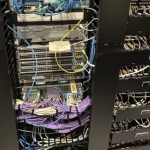
Cable Management

Proper cable management is often overlooked but is crucial for maintaining an efficient and scalable data centre:

  • Use colour-coded cables for easy identification
  • Implement a logical and consistent labelling system
  • Utilise cable trays and management solutions to keep cables organised
  • Plan for future growth and expansion when laying out cables

Final Implementation and Go-Live

Once all systems have been tested and verified, it’s time for the final implementation:

  1. Data Migration: Transfer data from old systems to the new infrastructure.
  2. User Training: Provide necessary training for staff on new systems and procedures.
  3. Go-Live: Carefully transition operations to the new data centre, monitoring for any issues.
  4. Post-Implementation Review: Conduct a thorough review to identify any areas for improvement.

Conclusion

A successful data centre rollout requires careful planning, attention to detail, and a comprehensive understanding of your organisation’s needs. By following these steps and best practices, you can ensure a smooth transition to a modern, efficient data centre that will serve your organisation well into the future.

Remember, technology is constantly evolving, so it’s essential to stay informed about the latest trends and innovations in data centre management. Regular audits and upgrades will help keep your data centre running at peak performance for years to come.