[pci-cat-slider slidestoshow="4" exclude_cat="4" show_count="false"]

How Online Gambling Companies Manage Time-Critical Data Centre Moves

How Online Gambling Companies Manage Time-Critical Data Centre Moves

The online gambling industry operates on margins measured in milliseconds. When an online casino’s servers go down, it’s not just an inconvenience — it’s lost revenue, interrupted player sessions, and potential regulatory exposure. That’s why data centre relocations in this sector require a level of precision and urgency that most IT logistics providers simply aren’t set up to deliver.


At DataMove, we’ve carried out dozens of data centre migrations for online gambling operators, moving critical infrastructure between jurisdictions including Gibraltar, Malta, Cyprus, Sweden, Jersey, Guernsey, the Isle of Man and Andorra. These projects have taught us that gambling sector moves are fundamentally different from standard data centre relocations — and the consequences of getting them wrong are far more severe.

Why Gambling Infrastructure Is Different

A typical enterprise server is valuable. A server running an online casino’s core platform is irreplaceable in the short term. These machines don’t just store data — they run the real-time algorithmic processes that power betting odds, game outcomes, player account management and financial transaction processing. The internal value of these systems far exceeds their physical replacement cost.


This changes the entire calculation around a relocation. Standard approaches to data centre moves — where a few hours of planned downtime is considered acceptable — simply don’t work. Gambling operators need their platforms back online in the absolute minimum time possible, often measured in minutes rather than hours. Every minute of downtime represents direct revenue loss across potentially thousands of concurrent player sessions.


That means the logistics, packaging, transport and reinstallation all have to be planned to a level of detail that leaves no room for improvisation on the day.

The Regulatory Pressure Behind the Moves

Time pressure in gambling relocations doesn’t just come from commercial considerations. Regulatory and tax factors frequently drive the timeline, and these deadlines are immovable.

Online gambling is one of the most heavily regulated industries in the world. Operators hold licences tied to specific jurisdictions, and each jurisdiction has its own rules about where data can be stored and processed. When regulations change, operators sometimes need to move infrastructure quickly to remain compliant.

Common regulatory triggers we see include:

  • Tax year deadlines requiring infrastructure to be operational in a new jurisdiction before a specific date

  • Changes to local tax rules that make one location less favourable than another

  • Transfers to offshore subsidiaries as part of corporate restructuring

  • Licence conditions that mandate data residency within a specific territory

  • New regulatory frameworks being introduced that require operators to relocate infrastructure to maintain compliance

Miss the deadline and the operator faces fines, licence suspension, or being forced to take their platform offline in that market. There is no flexibility. The move has to happen on time, every time.

The Challenge of Island and Offshore Destinations

Many of the world’s major online gambling jurisdictions are islands or small territories — Gibraltar, Malta, Jersey, Guernsey, the Isle of Man, Cyprus and Andorra. This creates logistical challenges that mainland moves simply don’t have.


Gibraltar’s border with Spain is notoriously complex for commercial IT shipments. Malta requires sea or air freight for any equipment arriving from the European mainland. Jersey and Guernsey depend on ferry schedules that can be disrupted by weather. The Isle of Man has limited direct transport links. Andorra, nestled in the Pyrenees between France and Spain, requires mountain road transport through border crossings on both sides.


In every case, the destination data centres tend to be smaller than their mainland equivalents. Access windows are tightly controlled, space is limited, and there are often other tenants whose operations cannot be disrupted. A server relocation into a Gibraltar facility, for example, requires coordination not just with the data centre operator but also with customs authorities, transport providers and the facility’s own operational schedule.


Our experience across all of these locations — built over years of regular projects — means we understand the specific requirements of each one. We know which customs documentation Gibraltar requires, which freight routes work best for Malta, and how to schedule around ferry timetables for the Channel Islands. That knowledge saves our clients days of delays that would otherwise eat into their migration window.

How We Approach a Gambling Sector Move

Every gambling relocation we carry out follows the same core principles: minimise downtime, protect high-value equipment, and hit the deadline with zero ambiguity.

In practice, this means:


Detailed pre-move planning. We work with the operator’s technical team to map every piece of equipment, understand dependencies, and build a migration schedule that accounts for the platform’s uptime requirements. Nothing is left to be decided on the day of the move.


Specialist packaging and transport. Gambling infrastructure often includes high-density server configurations and bespoke hardware. We use custom-built flight cases, anti-static protection, shock-absorbing cradles and climate-controlled, air-ride vehicles designed specifically for transporting sensitive IT equipment over long distances.


Customs and border expertise. Cross-border moves between the UK and gambling jurisdictions require proper documentation — T1 declarations, proof of ownership, equipment valuations and EORI registration. We handle all of this in advance so nothing delays the shipment at the border.


Coordinated installation. We don’t just deliver equipment to the door. Our smart hands engineers handle deracking at the origin, secure transport, and reracking and cabling at the destination. The operator’s team focuses on bringing their platform back online while we handle the physical infrastructure.

Why Gambling Operators Choose Specialist Providers

We’ve seen what happens when gambling companies use generalist logistics providers for their data centre moves. 


Equipment arrives late because customs paperwork wasn’t prepared correctly.


Servers are damaged because the packaging wasn’t adequate for a multi-day international transit.


Migration windows are missed because nobody factored in drivers’ hours regulations or ferry schedules.


The cost of these failures in the gambling industry is not measured in inconvenience. It’s measured in lost revenue, regulatory risk and reputational damage with players who expect the platform to be available around the clock.


That’s why operators in this sector increasingly choose providers with specific experience in their industry and their destination jurisdictions. The cheapest quote from a company that has never shipped servers to Gibraltar or Malta is almost always the most expensive outcome.

Planning a Gambling Infrastructure Move?

Whether you’re relocating to a new jurisdiction for regulatory reasons, consolidating platforms across territories, or moving infrastructure as part of a corporate restructuring, we can help you plan and execute the move with minimal disruption to your operations.


We’ve delivered projects across Gibraltar, Malta, Cyprus, Sweden, Jersey, Guernsey, the Isle of Man and Andorra — and we understand the unique pressures that gambling operators face. We’re happy to talk through your requirements, even if you’re still in the early planning stages.

Get in touch with our team to discuss your project.

Why Cross-Border Data Centre Relocations Are More Complex Than You Think
Why Cross-Border Data Centre Relocations Are More Complex Than You Think

Moving a data centre from one building to another within the same city is challenging enough. Moving one across international borders introduces an entirely different layer of complexity — one that many organisations drastically underestimate until they’re already committed to the project.


At DataMove, cross-border relocations are a core part of what we do. We’ve carried out data centre migrations in over 58 countries, with France, Germany, Gibraltar, Malta, Cyprus and Sweden among our most frequent European destinations. Over the years, we’ve learned that the difference between a smooth international move and a costly, delayed one usually comes down to planning, experience, and knowing what to expect before the truck leaves.

Here are the issues that catch most organisations off guard.

Customs Clearance Is Not a Formality

The single biggest bottleneck in any cross-border server relocation is customs. This is not a case of simply loading equipment onto a vehicle and driving to the destination. Every piece of hardware crossing an international border needs proper documentation, and the requirements vary by country.

T1 transit declarations, commercial invoices, proof of ownership, equipment valuations, and EORI registration are all part of the process. Miss a single document and your equipment sits at the border while the clock ticks on your migration window.

Gibraltar is a perfect example. The border crossing between Spain and Gibraltar is notoriously difficult for commercial IT shipments. The relationship between the two territories creates a customs environment where even experienced logistics companies routinely find their drivers stuck for days. Our team has built strong working relationships with customs officials on both sides of that border over many years of regular crossings. On a recent project, where other providers would have faced days of delays, our team cleared the border with all paperwork accepted within just a few hours. That kind of experience cannot be improvised on the day.

The Equipment Needs More Protection Than You Expect

Servers, storage arrays, and networking equipment are precision instruments. They are sensitive to vibration, shock, temperature fluctuation, and static discharge. What works for a 30-minute drive across town is nowhere near adequate for a multi-day international transit.

Cross-border relocations require specialist packaging — custom-built flight cases, anti-static wrapping, shock-absorbing cradles, and tamper-evident seals. The vehicles themselves need to be purpose-built too: air-ride suspension to minimise vibration, climate-controlled compartments to maintain stable temperatures, and secure, deadlocked cargo areas.

Many organisations only discover these requirements when they start getting quotes, and the gap between what they expected to spend and what’s actually needed can be significant. This is one area where cutting corners creates real risk — a single damaged server during transit can cost far more than the packaging that would have prevented it.

Distances Are Longer Than They Feel on a Map

A London to Gibraltar move is around 2,200 kilometres by road. London to Stockholm is over 1,800 kilometres. These are not day trips. Multi-day transits introduce complications that domestic moves simply don’t have: EU drivers’ hours regulations that limit how long a driver can be behind the wheel, mandatory rest periods, the need for secure overnight compounds where high-value IT equipment can be safely stored, and the logistical challenge of coordinating arrival times with data centre access windows at the destination.

When the destination data centre is small — as they commonly are in Gibraltar and Malta — the coordination becomes even more critical. These facilities often have limited space and tightly controlled access. You cannot simply turn up with a van full of equipment and expect to start work. Every move event has to be meticulously planned and scheduled around the facility’s existing operations and other tenants’ activities.

Drivers’ Hours and Regulatory Compliance

International road transport within and around Europe is governed by strict regulations on driving time, rest periods, and vehicle operation. The standard EU rules allow a maximum of nine hours of driving per day, with mandatory breaks and rest periods. For a 2,000-kilometre journey, this means a minimum of three days on the road — and that’s before accounting for border crossings, customs stops, or unexpected delays.

Planning a migration timeline without factoring in these regulations is one of the most common mistakes we see. The migration window at the destination needs to account for realistic transit times, not optimistic ones.

Why Experience Matters More Than Price

Cross-border data centre relocations are not commodity services. The cheapest quote is very often the most expensive outcome. A provider without established customs relationships, without specialist vehicles, without experience in your destination country, will cost you in delays, risk, and stress.

When we carry out an international migration, we handle the customs documentation, we provide the specialist vehicles and packaging, we plan around drivers’ hours and secure stopping points, and we coordinate with the destination facility to ensure access is confirmed and the schedule is realistic. We have done this in 58 countries and counting. That depth of experience is what allows us to give clients accurate timelines and then deliver on them.

Planning a Cross-Border Move?

If you’re considering moving your data centre infrastructure internationally, the earlier you involve a specialist provider, the smoother the process will be. We’re happy to talk through your requirements and give you an honest assessment of what’s involved — even if you’re still at the early planning stage.

Get in touch with our team to discuss your project.

Wireless survey blog post featured image.

How to Improve Wireless Access in Offices, Warehouses and Factories

Wireless survey blog post hero image.

How to Improve Wireless Access in Offices, Warehouses and Factories
Reliable wireless access is no longer a “nice to have”. In offices, warehouses and factories, Wi-Fi supports everything from emails and video calls to scanners, tablets, machinery and cloud systems. When wireless performance is poor, productivity suffers.

The good news is that most wireless problems can be solved with the right planning. A professional wireless survey is often the first and most important step.

Common Wireless Problems in Workplaces

Many organisations struggle with similar Wi-Fi issues, including:

  • Slow or unreliable connections

  • Dead zones where Wi-Fi drops out completely

  • Congestion from too many devices

  • Interference from machinery, racking or building materials

  • Inconsistent coverage across large sites

These problems are especially common in warehouses and factories, where metal shelving, high ceilings and moving equipment can disrupt wireless signals.

Simply adding more access points rarely fixes the issue and can sometimes make it worse.

What Is a Wireless Survey?

A wireless survey is a detailed assessment of your building and how Wi-Fi signals behave within it. The aim is to design or improve a wireless network that delivers strong, reliable coverage where it’s needed most.

During a survey, we assess factors such as:

  • Building layout and construction materials

  • Sources of interference

  • Current wireless performance

  • Device types and usage patterns

  • Coverage, capacity and roaming requirements

This allows us to design a wireless network that is fit for purpose, rather than relying on guesswork.

Types of Wireless Surveys We Offer

We provide wireless survey services for offices, warehouses and factories, tailored to each environment.


Predictive Surveys
Ideal for new sites or refurbishments. Using building plans and specialist software, we design the wireless network before any equipment is installed.


On-Site Surveys
We visit your premises to measure real-world signal strength, interference and coverage. This is particularly useful for complex environments like warehouses and manufacturing facilities.


Validation Surveys
Once a network is installed, we confirm it meets performance and coverage requirements and identify any areas that need adjustment.


Troubleshooting Surveys
If you’re experiencing ongoing wireless issues, we pinpoint the root cause and provide clear recommendations to fix them.

Why Wireless Surveys Matter in Warehouses and Factories

Industrial environments place higher demands on Wi-Fi than standard offices. Handheld scanners, forklifts, production systems and IoT devices all rely on seamless connectivity.

A well-designed wireless network can:

  • Reduce downtime and dropped connections

  • Improve staff efficiency and accuracy

  • Support real-time systems and automation

  • Scale as your operation grows

Without a survey, networks are often over- or under-engineered, leading to unnecessary cost or poor performance.

Benefits of a Professional Wireless Survey

Investing in a wireless survey delivers long-term value:

  • Better coverage – Wi-Fi works where you need it

  • Improved performance – Faster, more stable connections

  • Reduced costs – No wasted access points or rework

  • Future-proofing – Designed for growth and new technologies

  • Clear documentation – Useful for IT teams and audits

Most importantly, it gives you confidence that your wireless network will support your business, not hold it back.

How We Can Help

We offer professional wireless survey services across offices, warehouses and factories. Our approach is practical, vendor-neutral and focused on real-world performance.

You’ll receive clear recommendations, easy-to-understand reports and a wireless design tailored to your environment and business needs. Whether you’re planning a new installation or fixing existing problems, we help you get Wi-Fi right the first time.

Poor wireless access is frustrating, costly and avoidable. With a professional wireless survey, organisations can improve reliability, performance and user experience across their sites.

If your Wi-Fi isn’t delivering what your business needs, a wireless survey is the smartest place to start.

Cabling - tidy cabinet

Why Cabling Makes or Breaks Your Rack Relocation Project

Cables

Why cabling matters more than you might think

When planning a rack relocation, the temptation is often to focus on the big‑picture items – moving the racks, transporting servers, ensuring the power infrastructure is correct. But increasingly within the world of physical IT infrastructure, it is cabling that often makes or breaks the success of a move. At DataMove (datamove.co.uk) we’ve seen hundreds of data rack relocation projects across the UK and Europe, and the clients who win are the ones who understand that structured cabling, labelling, documentation and correct handling are non-negotiables.

1. Why cabling matters more than you might think

a) It’s the nervous system of your rack


Each rack isn’t just a steel enclosure with servers inside; it’s part of a greater ecosystem of network, power, cooling and connectivity. The cables – network uplinks, SANs, Fibre Channel, power distribution units (PDUs) – carry the signals that make your infrastructure live.


b) Mistakes domino


A misplaced or unlabelled cable can cause delays, confusion and unplanned outage.


c) Efficiency, cooling and airflow


Poor cable management can hamper cooling and airflow within racks.

2. The common pitfalls we see in rack relocations

– No labelling or documentation

– Failure to map dependencies

– Transport damage

– Incorrect re-termination

– Neglecting to test

– Ignoring the new site’s environment

3. How a professional team (like DataMove) handles it

– Pre-move survey & audit

– Structured cable labelling and documentation

– Secure transport and handling

– Re-rack and reconnect according to plan

– Test and sign-off

– Flexible scheduling

4. Tips for businesses prepping for the move

– Begin the cabling audit early

– Agree on labelling standards

– Create a rollback plan

– Use professional cable management

– Test after move

– Choose a move partner with cabling expertise

5. Relating cabling to wider infrastructure moves

Cabling ties into your entire infrastructure strategy including data centre relocations, rack migrations, and office moves.

6. The cost of getting it wrong

Ignoring proper cabling can create:

– Unexpected downtime

– Performance degradation

– Increased maintenance costs

– Long-term inflexibility

– Data loss and SLA breaches


When planning your next rack relocation, remember: the racks may look the most visible, but it’s the cables that determine success.

Wireless performance blog post featured image.

Improving Wireless Performance in Warehouses and Offices

Improving Wireless Performance in Warehouses and Offices
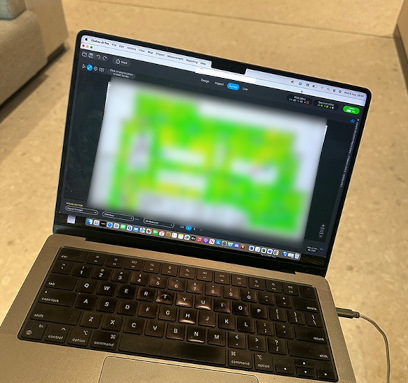
Reliable Wi-Fi is vital for today’s workplaces, from barcode scanners in warehouses to laptops in busy offices. Yet many organisations still struggle with poor coverage, dropouts, or slow connections. Here’s what really affects wireless performance, and how to fix it.


1. The Building and Layout


Walls, racking, and machinery can all block or reflect signals. Warehouses often have high ceilings and metal shelving, while offices may have concrete or glass walls that weaken Wi-Fi.


To improve:


• Position access points (APs) to minimise obstructions.
• Use directional antennas for long aisles or open areas.
• Carry out a wireless site survey to find coverage gaps.


2. Network Design and Interference


Too few APs leave dead zones, while too many can interfere with each other. Other wireless devices such as Bluetooth, cordless phones, or neighbouring networks can also cause disruption.


To improve:


• Plan AP placement using professional design tools.
• Use 5 GHz or Wi-Fi 6/6E where possible to reduce congestion.
• Adjust channels and transmit power to limit interference.


3. Devices and Capacity


Old or low-spec devices can slow everything down, especially when large numbers connect at once.


To improve:


• Upgrade to modern Wi-Fi 6-enabled hardware.
• Balance connections across available bands and APs.
• Review roaming and power settings regularly.


4. Ongoing Monitoring


Wireless environments change frequently. Stock levels, furniture layout, and even neighbouring networks can affect performance.


To improve:


• Re-survey annually or after major layout changes.
• Use monitoring tools to detect weak spots early.


Get Expert Support


A professional wireless survey takes the guesswork out of Wi-Fi design, ensuring consistent coverage and performance across your site, whether it’s a warehouse, office, or campus.
Need help improving your wireless network? Our engineers specialise in Wi-Fi surveys, design, and optimisation for complex environments. Get in touch to schedule an assessment.

Wireless survey for a law firm - featured image.

Advanced Ekahau Wireless Survey: Major Law Firm Deployment
Advanced Ekahau Wireless Survey: Major Law Firm Deployment
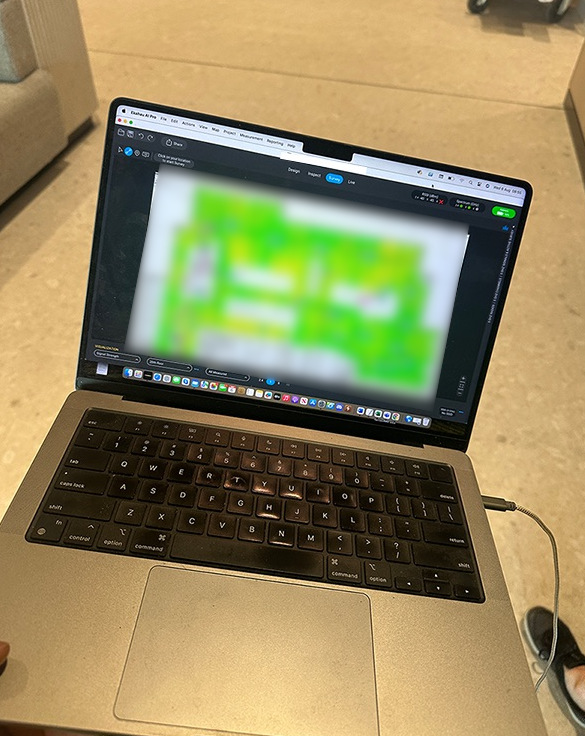
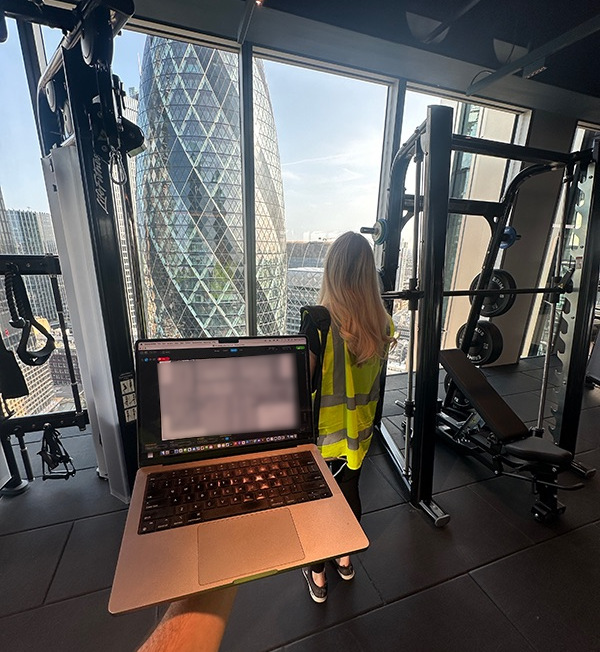
DataMove were recently instructed to carry out comprehensive Ekahau Wireless surveys across 28 floors of a new build fit out for a major worldwide law firm, utilising the industry-leading Ekahau AI Pro solution with Sidekick 2 survey hardware.


Technical Implementation


Having already installed and configured over £6m worth of enterprise-grade Cisco connectivity infrastructure, including strategic access point deployment, our certified wireless engineers conducted the critical final verification phase. This process validated that client-specified access point locations would deliver optimal RF coverage across entire floor areas while meeting stringent security and performance requirements for the legal environment.


Trusted by 40% of Fortune 500 companies, Ekahau provided the ideal solution for this deployment. Our technical team employed active and passive survey methodologies, collecting comprehensive data on signal strength, coverage, interference patterns, and network capacity across all critical parameters.


Professional Survey Methodology


Our discreet survey teams operated with minimal disruption to ongoing activities, conducting assessments with methodical precision in the sensitive corporate environment. Using the Sidekick 2’s dual Wi-Fi radio configuration, engineers scanned comprehensively across 2.4GHz, 5GHz, and 6GHz bands with 8-hour battery life ensuring continuous operation.


The team maintained complete discretion while operating unobtrusively within the active environment, preserving sensitive client information and operational security protocols throughout the assessment process.


Survey Results and Analysis


Due to construction delays, some floors remained incomplete during initial surveys; however, comprehensive reports generated through Ekahau AI Pro’s advanced 3D capacity and coverage estimation capabilities delivered highly promising results. These analyses showcased exemplary collaboration from initial placement design through final validation surveys.


Ekahau AI Survey Pro’s map visualisation capabilities enabled detailed predictive planning off-site before on-site validation. The resulting heatmaps and reports provided actionable insights and performance guarantees for the critical wireless infrastructure investment.


Future Validation


Further targeted surveys are scheduled for two floors once construction completes, as these contain specialised heavy-duty interior installations which may impact RF propagation characteristics. Additional validation will ensure consistent coverage performance across these challenging environments.


This deployment demonstrated the exceptional capabilities of DataMove’s team combined with the Ekahau AI Pro solution, ensuring exemplary wireless connectivity across all operational sites. Our professional wireless surveys provide comprehensive facility assessment, coverage optimization, and interference analysis, delivering technical excellence for mission-critical legal operations.


For more information about our advanced wireless survey capabilities, contact DataMove today.

Wireless survey for law firm.
Wireless survey
Wireless survey
Wireless survey
Wireless survey.
Wireless survey
Wifi survey blog post featured image.

Top Tools and Technologies Used in Wireless Site Surveys

Wifi survey blog post hero image.

Top Tools and Technologies Used in Wireless Site Surveys

In today’s always-connected world, strong and consistent Wi-Fi is more than a convenience—it’s mission-critical. Whether you run an office, warehouse, school campus or retail space, a reliable wireless network underpins everything from productivity to customer experience.
But great Wi-Fi doesn’t just happen. It begins with a professional wireless site survey, a data-driven process that maps signal strength, identifies interference, and ensures the right equipment is placed in the right spots.


Behind every successful survey is a set of powerful tools and technologies. Below, we explore the key wireless site survey tools that make it possible to build fast, secure and dependable networks.

1. Spectrum Analysers – Finding Hidden Interference

One of the biggest threats to Wi-Fi performance is invisible interference. Household appliances, Bluetooth devices, cordless phones and even neighbouring networks can disrupt your signal.
That’s where spectrum analysers come in.


These devices measure and visualise the entire radio-frequency environment, enabling engineers to detect and mitigate noise before it affects users. By pinpointing sources of interference, a spectrum analyser helps create a cleaner wireless environment with stable connectivity.

2. Wi-Fi Survey Software – Colour-Coded Heat Maps for Precision

If spectrum analysers tell us what’s wrong, Wi-Fi site survey software shows us where to fix it.
Leading platforms such as Ekahau, NetAlly and AirMagnet convert floor plans into live, colour-coded heat maps.


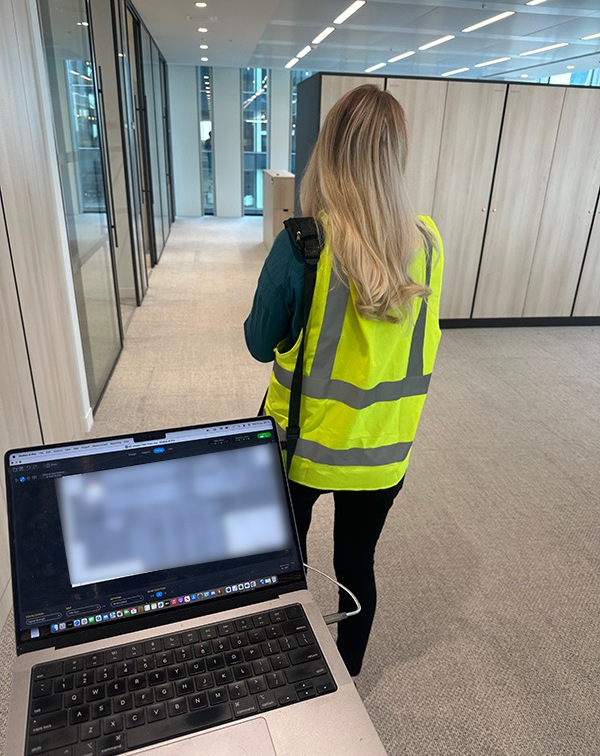
Surveyors walk the space while the software collects data on signal strength, coverage overlap and potential dead zones.


The result is a detailed, visual representation of your network’s current or projected performance.

This makes it easy to identify optimal access-point placement and create a design tailored to your exact environment.

3. Predictive Network Modelling Tools – Plan Before You Build

What if you could design and test a wireless network before drilling a single hole or running any cables?

That’s exactly what predictive modelling tools allow.


Using your floor plans and construction details, these tools simulate how walls, furniture and user density will affect Wi-Fi signals.


Engineers can virtually position access points, test different configurations and adjust settings—all without interrupting daily operations.


The benefit is significant: less trial and error, lower installation costs and a network built to handle future growth.

4. Portable Test Kits & Hand-Held Scanners – Real-World Accuracy

Finally, every wireless site survey depends on portable testing equipment.
Lightweight laptops, tablets and hand-held scanners enable surveyors to walk every corridor, warehouse aisle or outdoor area while collecting real-time data.


This on-site testing confirms that predictive models and software designs hold true under actual conditions, ensuring that no corner of your space is left with weak coverage or dead spots.


Why These Tools Matter


Using advanced wireless site survey tools isn’t just about technology—it’s about outcomes.
With the right equipment and expertise, organisations can:

  • Avoid costly network redesigns by getting it right the first time
  • Prevent Wi-Fi dead zones and dropped connections, improving productivity and customer satisfaction
  • Scale with confidence, knowing the network is designed for future demand

Whether you’re upgrading to Wi-Fi 6 or troubleshooting persistent connectivity issues, a professional site survey backed by these tools is the smartest investment you can make.

Ready to Optimise Your Wireless Network?

Powerful tools are only as effective as the experts who use them.


Our team combines industry-leading software and hardware with years of experience to deliver accurate, reliable wireless network surveys tailored to your space and business goals.


Don’t leave your network to chance – equip it for speed, reliability and the future.


Contact Us to arrange your professional wireless network survey today. 


Hybrid smart hands article thumb image

Hybrid Smart Hands: Combining Remote & On‑Site Support for 24/7 Uptime

Hybrid smart hands article hero image

Hybrid Smart Hands: Combining Remote & On‑Site Support for 24/7 Uptime

The Evolution of Smart Hands

Traditional Smart Hands services have operated in two distinct ways:

  • Remote support teams handle tasks like system monitoring, configuration changes, and troubleshooting without physically being at the site.

  • On‑site technicians manage tasks requiring direct physical access, such as replacing hardware components, re‑cabling, or moving equipment.

While both approaches have their strengths, relying solely on one can create delays or inefficiencies. The hybrid Smart Hands model blends these two, offering the agility and responsiveness modern data centres need.

Why the Hybrid Model Works

The hybrid approach provides a balance between speed, cost, and effectiveness:

  • Cost‑Efficient Operations – Reduce the need for full‑time on‑site staff by resolving many issues remotely.

  • Faster Response Times – Remote teams diagnose and resolve problems instantly, escalating only when physical presence is required.

  • 24/7 Coverage – Global remote teams monitor systems continuously, supported by local on‑site staff for emergencies.

  • Reduced Downtime Risk – Issues that can’t be fixed remotely are escalated to on‑site teams without delay.

Proactive Monitoring and Intervention

In a hybrid setup, remote monitoring tools track performance, security, and system health around the clock. This allows teams to:

  • Detect anomalies early before they disrupt operations.

  • Schedule preventive maintenance visits from on‑site staff.

  • Optimise resources by sending technicians only when truly necessary.

Best Practices for Implementing Hybrid Smart Hands

Organisations adopting this model should:

  • Define Clear Escalation Procedures – Ensure both remote and on‑site teams know exactly when and how to escalate issues.

  • Use a Unified Ticketing System – Keep communication centralised and transparent between both teams.

  • Conduct Joint Training Sessions – Align skills and knowledge so both teams operate seamlessly together.

  • Tailor SLAs to Business Needs – Match response times and service scope to the criticality of each facility.

A Future‑Proof Support Model

As data centre infrastructure becomes more complex and uptime requirements more demanding, the hybrid Smart Hands approach delivers flexibility, resilience, and cost control. By combining the strengths of remote expertise with rapid physical intervention, organisations can ensure continuous, optimised operations, no matter the challenge.

Eco-friendly article thumb image

Eco‑Friendly Data Centre Relocation

Eco-friendly article hero image

Eco‑Friendly Data Centre Relocation: Green Practices & Compliance

Sustainability as a Strategic Priority

Today’s organisations are under increasing pressure to align operations with environmental responsibility. Data centre relocations, if not managed carefully, can contribute significantly to e‑waste and carbon emissions. By integrating sustainability into every stage of a relocation project, companies can reduce their environmental impact while meeting regulatory and corporate social responsibility targets.

Reusing and Refurbishing Equipment

Rather than defaulting to new purchases, organisations should assess whether existing hardware can be reused, refurbished, or upgraded for the new location. This reduces the demand for raw materials and extends the life cycle of costly equipment. For hardware that cannot be reused, components can often be harvested for spare parts.

Responsible E‑Waste Disposal

Equipment that is truly at the end of its life must be disposed of through certified recycling partners who comply with environmental legislation such as the EU WEEE Directive. This ensures that hazardous materials are handled safely, valuable metals are recovered, and landfill waste is minimised.

Reducing the Carbon Footprint of the Move

The environmental cost of transportation can be lowered by consolidating shipments, using energy‑efficient vehicles, and planning optimal transport routes. At the new location, choosing a facility powered by renewable energy further enhances the green credentials of the relocation.

Compliance and Competitive Advantage

Following standards like ISO 14001 not only ensures legal compliance but can also serve as a differentiator in competitive tenders, as more organisations factor environmental performance into their procurement decisions. In this way, green relocations are both environmentally and commercially beneficial.

Case study - cabinet tidy

Case Study: Network Refresh and Cabinet Tidy

Case study header image - servers.

Case Study: Network Refresh and Cabinet Tidy

Project Overview: Supporting a Multinational IT Services Company

DataMove recently assisted a multinational IT services company with network refreshes and cabinet tidies/cable management on behalf of one of their clients in four European locations.

Challenges Faced: Legacy Equipment and Disorganised Infrastructure

Due to years of mixed networking strategy and staff changes, the network cabinets were in poor condition with a mish-mash of different equipment – some in use and some long since retired. The cabinets themselves were of a late 90s vintage but due to layout and sheer quantity of copper still in use these were here to stay.

Deployment Strategy: Efficient Execution Across Multiple Sites

We deployed a three man crew to Luxembourg, Frankfurt, Prague and Central London strictly out of hours and over weekend shifts to pull out 75% of the infrastructure in place and renew with Arista core and user switches as well as wireless access points followed by an Ekahau wireless survey.

Sustainable Disposal: Responsible Recycling of Outdated Equipment

Following successful completion, DataMove also organised accredited recycling services with our partners in Europe to safely dispose of the aged equipment.

Final Thoughts: Contact Us for Your Network Refresh Needs

Find some pictures of before and after below! If you need refresh/renew services, cable management and cable mapping – don’t hesitate to contact us today.

Before cabinet tidy
Before cabinet tidy
After cabinet tidy
After cabinet tidy
Before cabinet tidy
Before cabinet tidy
After cabinet tidy
After cabinet tidy