IT Asset Disposal: What Is Your Redundant Equipment Actually Worth?
I once watched a client shred a full 42U rack of fourteen-month-old servers.
Not the drives. The lot. Chassis, rails, PSUs, memory, the whole rack. The contract they’d been bought for changed, the kit was surplus, and someone in the chain advised that the safe thing was to destroy it. So they paid to destroy hardware that had been in service for just over a year.
Nobody involved did anything wrong, exactly. That’s what makes it worth writing about.
Why “destroy everything” is the default answer
Ask most IT asset disposal providers what to do with redundant kit and you’ll get a very consistent answer: secure collection, certified destruction, a certificate, WEEE compliance, done.
It’s a good answer. It’s also the easy one.
Destruction is simple to price, simple to deliver and simple to evidence. There’s no market to read, no condition assessment, no buyer to find. It’s billable work with a predictable margin and it ends the conversation.
Resale is the opposite. It requires knowing what the kit is worth this month rather than last year, whether the configuration is one anybody wants, and who is actually buying. That’s harder, and it’s a conversation a lot of providers would rather not open.
So the advice you get is rarely wrong. It’s just rarely the whole picture.
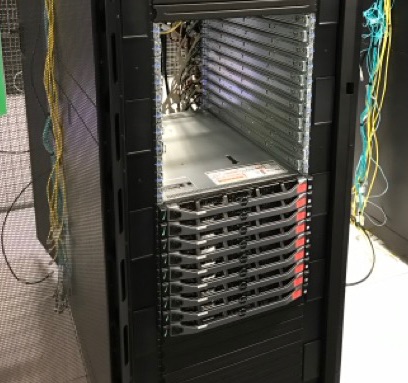
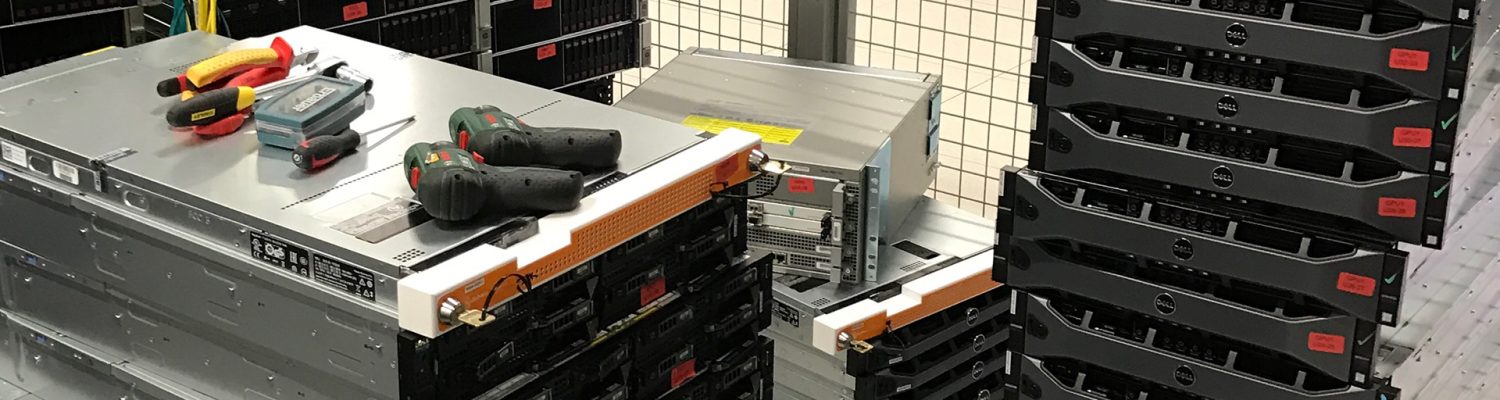
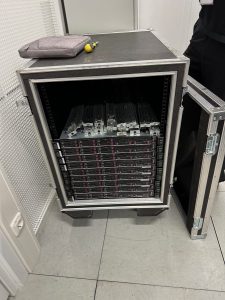
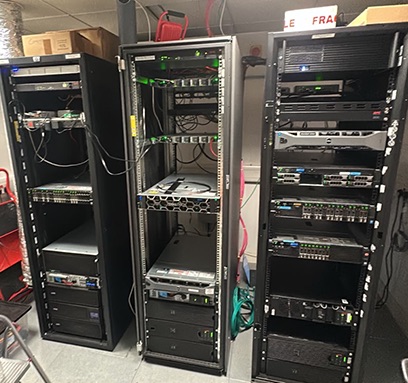
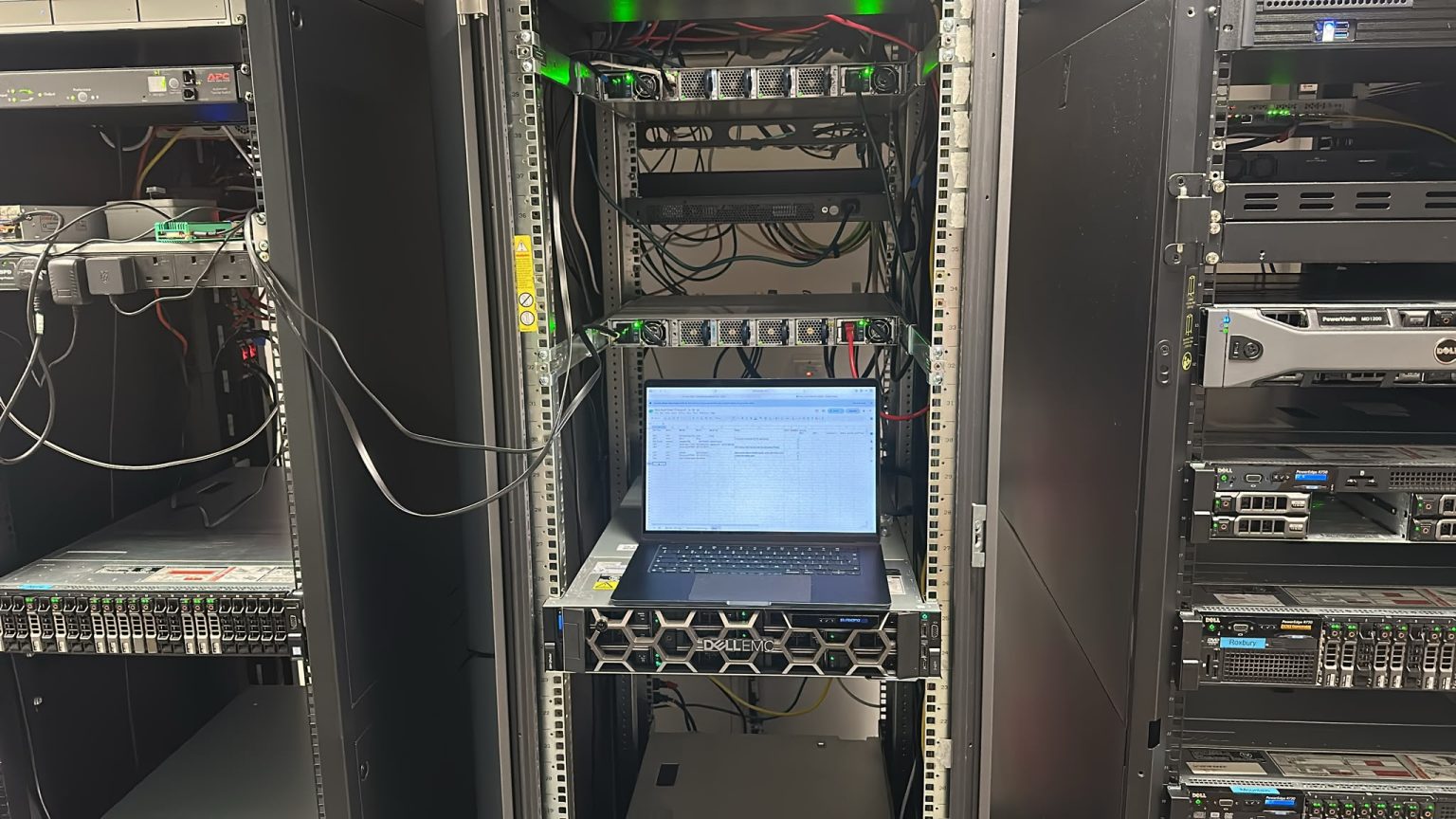
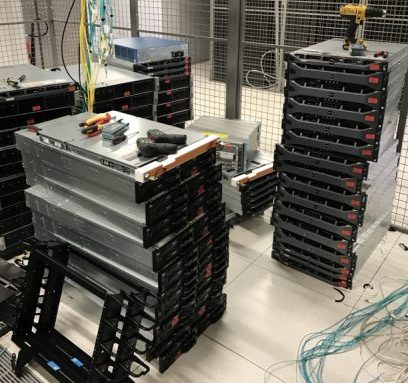
Rack of Dell Servers Awaiting Disposal
The economics have moved, and most disposal policies haven’t
Here’s what’s changed. Memory is scarce. The AI build-out is consuming every chip being made, and that has pushed up the value of components that were close to worthless eighteen months ago.
I don’t say that as market commentary. I say it because we get cold-called by brokers wanting decommissioned servers and parts, unprompted, on a regular basis. People are ringing round looking for exactly the kind of equipment most companies are paying to have destroyed.
Meanwhile a lot of disposal policies were written when replacement hardware was cheap and abundant. Those policies are still being followed. The market has moved underneath them.
The actual decision
There are really only three questions.
Does it hold data? If it does, nothing happens until that’s resolved. This is the part nobody should compromise on.
What is it worth in the condition it’s in? Not what it cost. What someone will pay for it now, in that configuration, with that age on it. A populated storage array, a rack of current-generation switches and a five-year-old 1U server are three completely different conversations.
What does destruction cost you? Both the fee and the value you’re writing off. If you’re paying to destroy something with a resale value, you’re paying twice.
Most organisations answer the first question properly and skip the other two.
Certified erasure is what makes the choice possible
This is the part that gets missed.
You cannot sell a data-bearing drive you can’t prove was wiped. No credible buyer will take it, and if they do you’ve created a problem worse than the one you solved.
So certified erasure isn’t an alternative to destruction — it’s what opens up the option. Wiped to a verifiable standard, with a certificate against the serial number, a drive becomes an asset again. Without that, destruction genuinely is the only responsible route.
Which means the erasure decision comes before the disposal decision, not after it. Get that order wrong and you’ve already chosen destruction whether you meant to or not.
Sometimes destruction is right
I’m not arguing that everything should be resold.
Some kit is genuinely finished. Some configurations nobody wants. Some contracts and some regulators require physical destruction regardless of what the hardware is worth, and where that’s the case the conversation is over.
The expertise isn’t in always recovering value. It’s in knowing which pile something belongs in — and being willing to say so even when the easier answer pays better.
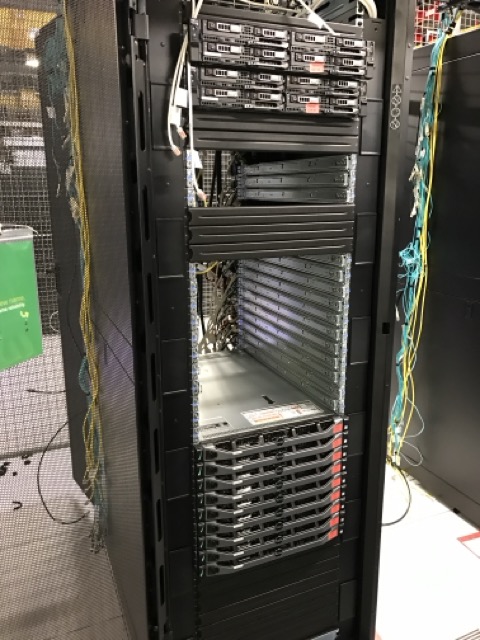
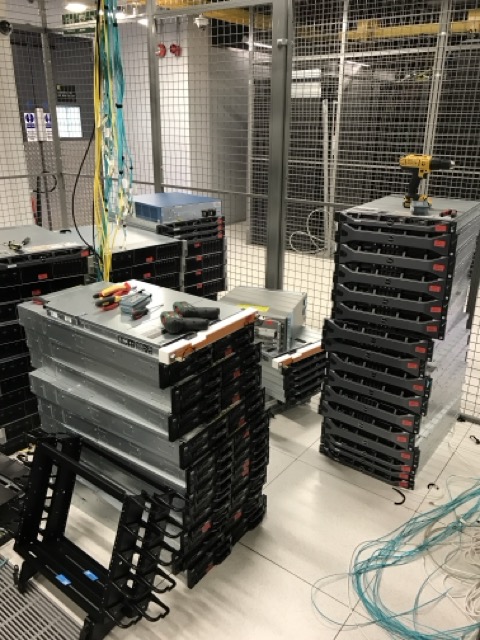
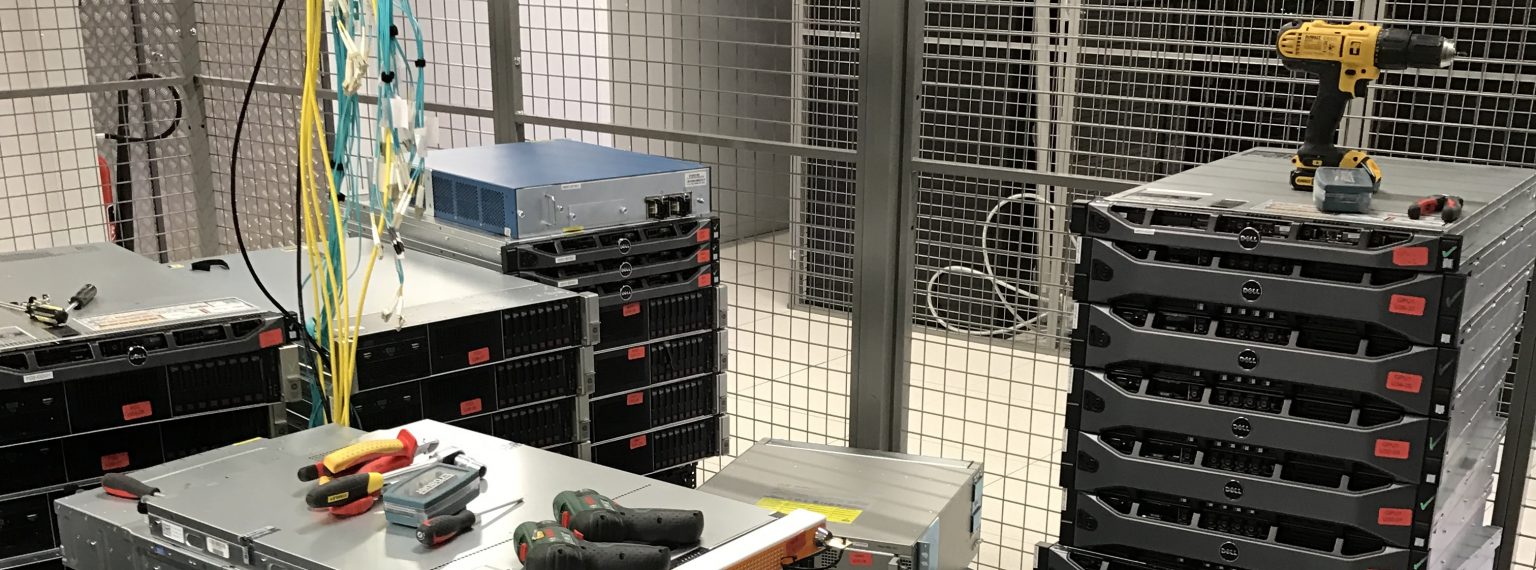
Servers and Storage Awaiting Shredding
The question worth asking
If someone is advising you to destroy an entire estate, it’s worth asking what else they considered, and what it would have been worth if they hadn’t.
You might get a good answer. Plenty of kit really is scrap. But if the answer is vague, or if nobody can tell you what the equipment is worth, that’s telling you something too.
What’s the most valuable thing you’ve watched a company put in a skip?
There are two answers in circulation to how to pack servers for transport, and only one of them survives contact with a data hall.
The first is that servers travel in cartons with foam, palletised and shrink-wrapped. It’s what most general logistics operations do, because it’s what they do with everything else. The second is that servers travel in rack-format transit cases. It costs more up front, and it’s what specialist relocation firms use.
The difference matters more than it looks, and it isn’t only about whether the equipment arrives working.
What a transit case actually does
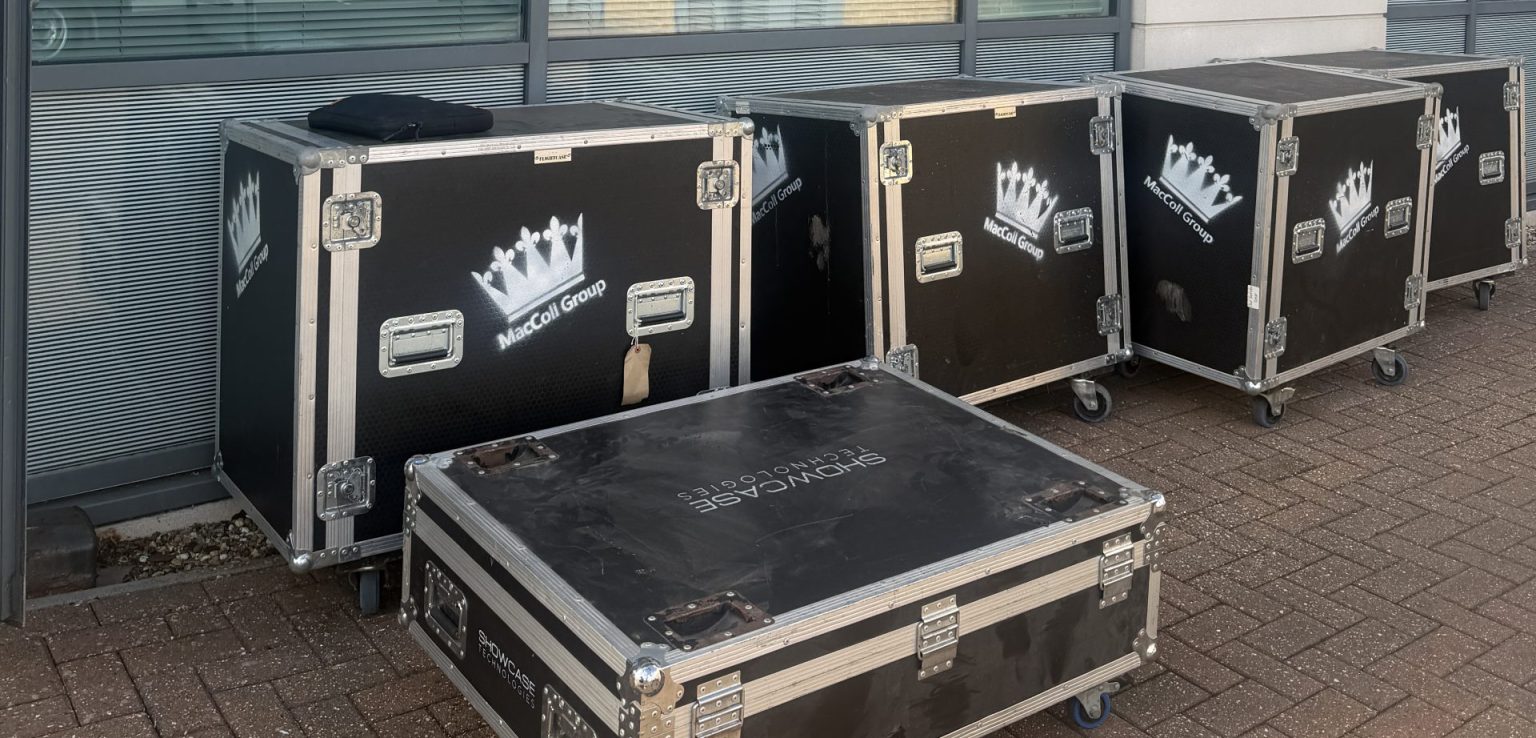
A rack-format case holds a chassis the same way a rack does — at its mounting points, on rails, with the weight carried through the ears rather than the skin.
That distinction is the whole argument. A populated 2U 24-bay server weighs 35 or more kilograms, and almost all of that is drives, hanging off a chassis designed to be supported at four points. Set it down flat in a box and the load path changes completely. The case keeps it in the orientation the manufacturer designed it for.
The case body then does three more things. The shell is rigid, so it protects against crush and impact rather than deforming with it. The internal frame is sprung or foam-suspended, so road shock is absorbed before it reaches the equipment. And the whole thing moves on castors, which means the kit is wheeled from rack to vehicle instead of carried.
That last point gets overlooked. Most transit damage isn’t a road event. It’s a drop, a knock against a door frame, or a manual handling injury that turns into a dropped unit. Removing the carry removes most of the risk.
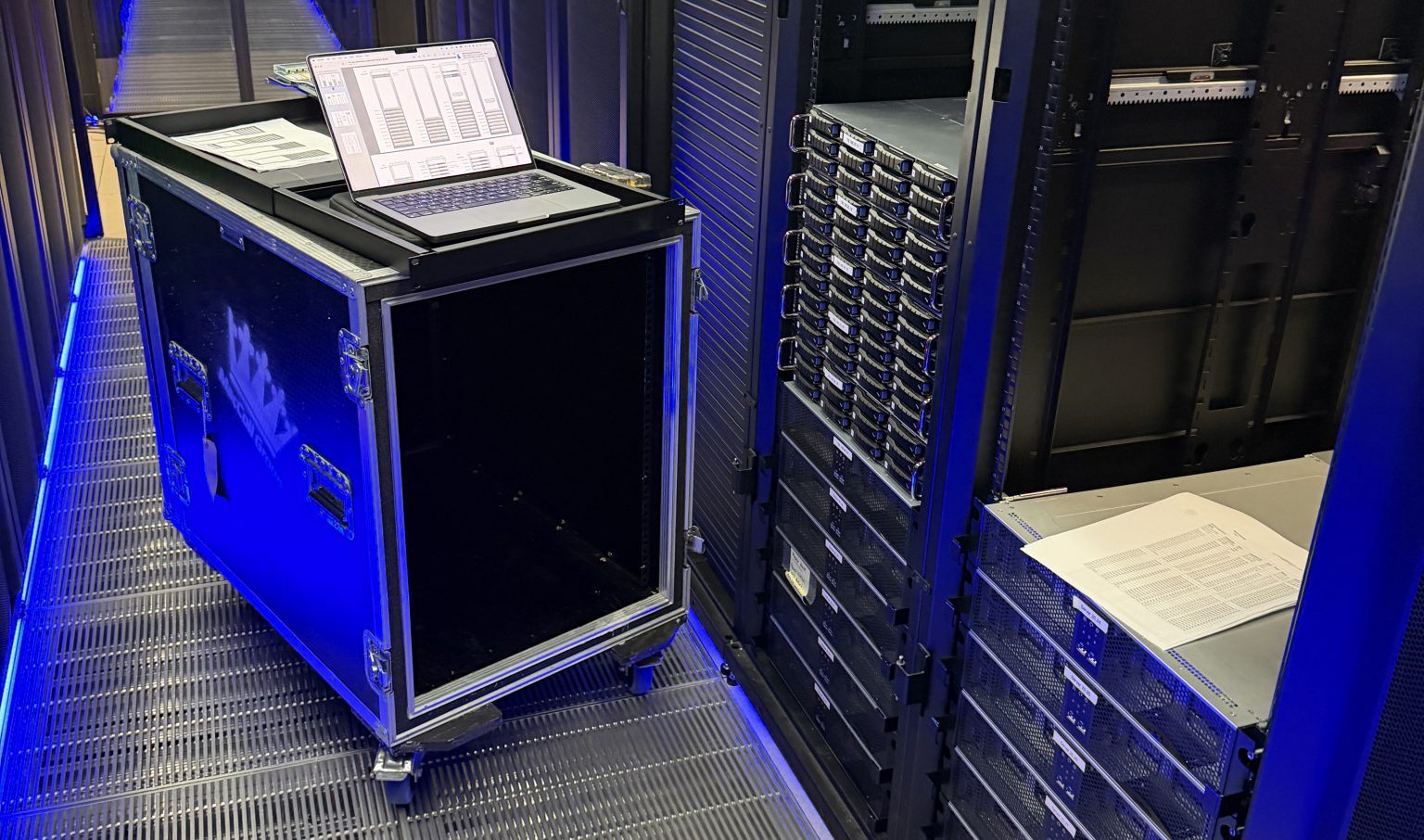
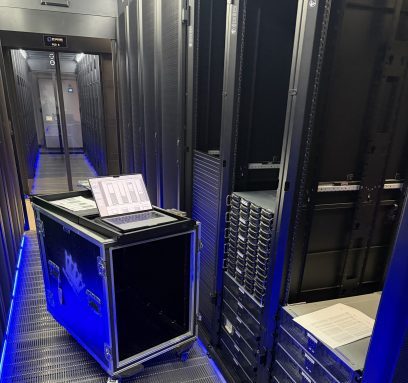
DataMove flight case packed with server equipment for secure transport
Why cardboard is a problem inside a data hall
Cardboard sheds fibre. Not much per box, but enough that most operators don’t allow it past the door of a live hall, and those that do usually require it broken down in a staging area rather than opened at the cabinet.
The reason is contamination. A data hall’s air handling is designed to keep particulate out of equipment intakes. Introducing a material that produces dust every time it’s cut, folded or torn works directly against that.
So even where cartons are permitted in the building, they usually aren’t permitted where the work happens. That means unpacking somewhere else and carrying units to the cabinet, which reintroduces exactly the manual handling the cases were avoiding.
The EPE question
A common specification is 2cm of expanded polyethylene foam on all faces. It sounds thorough and it isn’t unreasonable in principle.
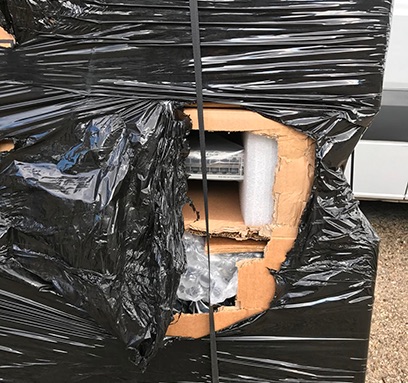
The problem is load. EPE performs well protecting light and medium items against shock. Under a 35-kilogram chassis it compresses, and once compressed it stops absorbing anything — the equipment is effectively resting on the box floor. Add stacking, and the foam under the bottom unit is carrying everything above it.
Foam also doesn’t stop movement. A chassis sitting in a box that’s 15mm oversized will shift and rotate in transit no matter how well it’s padded, and it’s the repeated small movements over a few hundred miles that loosen drive carriers and backplane connections.
None of that means foam is useless. It means foam is a supplement to a method, not a method on its own.
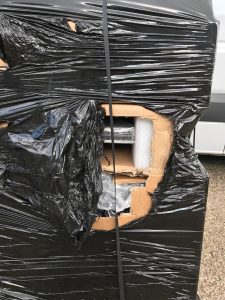
Damaged Cisco Switches Due to Cardboard Packaging
Why how you pack servers for transport decides your date
Modern server chassis are deep. A common depth is around 870mm, and standard carton stock doesn’t accommodate that in a size that also fits the height and width sensibly.
Which means bespoke. Bespoke cartons need a specification, tooling, a minimum order quantity and a production run. Realistically that’s weeks, not days, and it isn’t something a supplier will accelerate for a single job.
This is where a late change of packing method stops being a packing decision. If a move is four days out and someone specifies bespoke cartons, the honest answer is that the move isn’t happening on that date. Not because anyone is being difficult, but because the material doesn’t exist yet and can’t be made in time.
Transit cases avoid this because a specialist already owns them. They’re a capital asset reused across hundreds of jobs, which is why they cost more on the first movement and nothing on the hundredth.
Who owns the method statement
This is the part that matters commercially and gets settled too late.
Whoever moves the equipment carries the risk of damaging it. That risk is priced into the quote, underwritten by a cargo policy, and usually capped in the contract. All three of those are calculated on the basis of a stated packing method.
Change the method and every one of them changes with it. A cargo insurer asked to cover carton-packed servers is being asked to cover a different risk from the one they quoted, and a contractor asked to accept liability for a method they didn’t choose is being asked to accept somebody else’s decision.
That’s why the method statement should be agreed before the date is agreed, and written into the contract rather than assumed. Not as a formality — because it determines whether the date is achievable at all.
I wrote about this recently and the response was more emphatic than expected. Two people independently described rack-format cases as simply how the industry moves servers, and several more were surprised anyone would propose otherwise. There is more consensus on this among people who do the work than the variety of practice suggests.
The short version
If the equipment is being moved by people who own transit cases, use the cases. If it’s being moved by a general logistics operation that packs everything in boxes, expect to answer questions about hall access, unpacking areas, manual handling and lead times that the box price doesn’t include.
Don’t forget the insurance claims.
And whichever method is chosen, choose it before the date is set. That is the single decision that most often determines whether a relocation runs when it’s supposed to.
What Happens When a Colocation Exit Date Can't Move?
Most data centre projects have a date that can slip. A colocation exit is not one of them.
When a contract ends, the cage has to be empty. The operator has the next tenant lined up, the billing stops when the space is handed back, and every day beyond the date is chargeable. There is no version of the conversation where the equipment stays a little longer while someone finishes a form.
We ran a job last month that made the point neatly. A client was leaving a UK colocation facility and moving 28 units of production hardware to their own site in the United States. Air freight, not sea.
Cage to be cleared completely, including the cabinets. Fixed exit date.
The move itself went to plan. Three things did not, and all three were the sort of problem that stops a job dead if you meet them on the day rather than three weeks out.
Who actually owns the racks?
The client’s brief was straightforward: the servers come out, and so do the cabinets.
The facility’s position was different. As far as they were concerned, the cabinets belonged to them.
This is more common than people expect, and it matters enormously. If we had arrived and started unbolting on the client’s instruction, we would have been dismantling someone else’s property inside their building. If we had accepted the operator’s position without checking, the client would have paid to leave behind three cabinets they owned.
It took time to establish, and it had to be established in writing before anyone touched anything.
The underlying issue is that colocation contracts often run for years, staff change on both sides, and what was supplied by whom at the start stops being obvious. The cabinets may have come with the space. They may have been bought by the tenant and installed by the operator. They may have been swapped at some point and nobody recorded it.
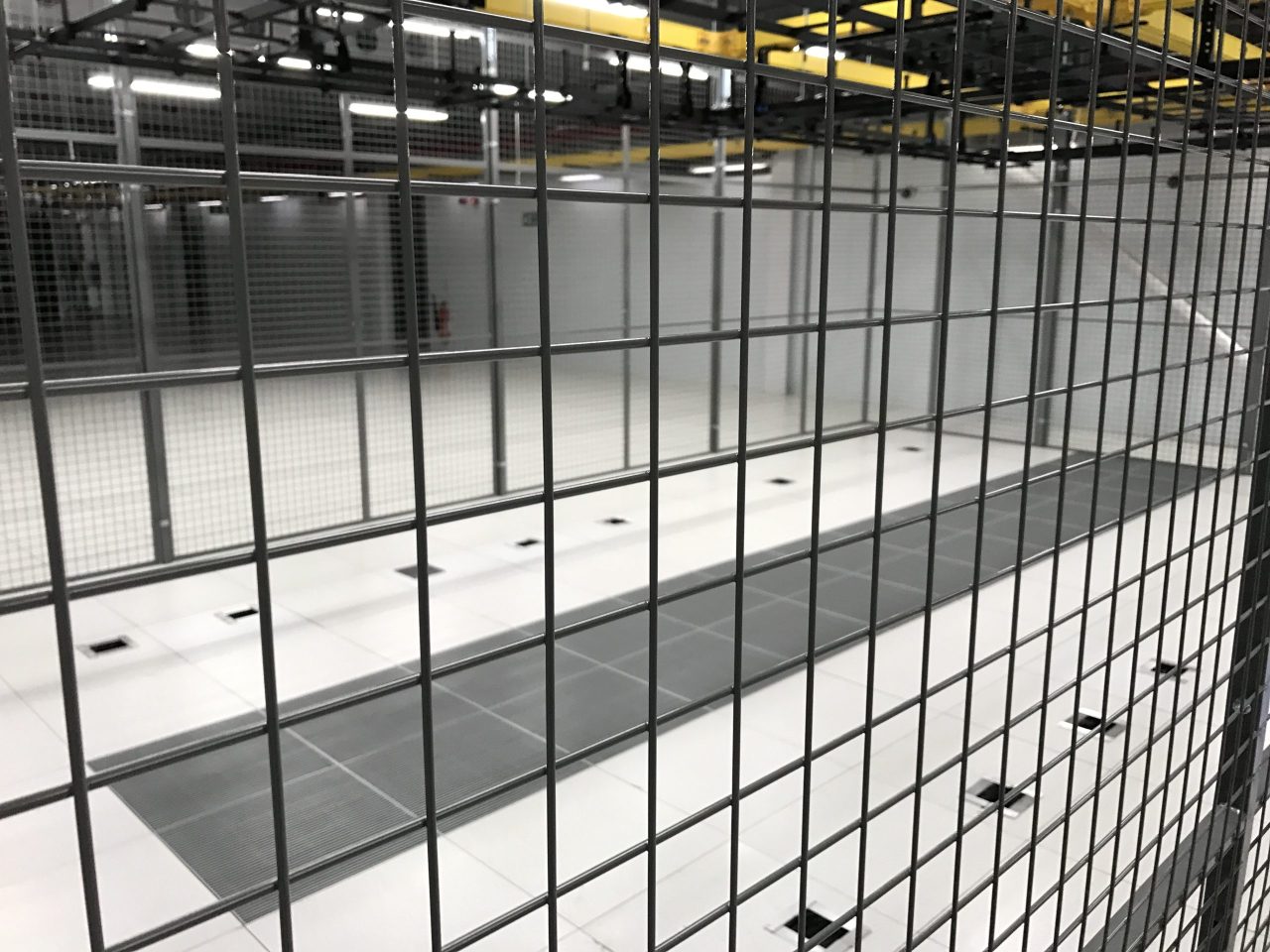
Populated Colocation Cage Before Load Out
If you are planning an exit, this is worth resolving early, in writing, with the operator rather than from memory. It is not a question you want to open on the morning of the move with a crew standing in the aisle.
The paperwork starts long before the screwdrivers
Everything about moving hardware across a border has a lead time, and none of those lead times care about your exit date.
The equipment had to be classified for customs before it could be booked. Server hardware sits close to several tariff headings, and the difference between them is not academic – under the semiconductor measures now in force, the wrong code can attach a substantial surcharge to the whole shipment. Getting that right is the importer’s responsibility, and it needs the broker’s sign-off rather than a best guess.
An importer of record had to be appointed at the far end. Somebody has to be legally responsible for the goods entering the country, and that appointment takes paperwork and time.
The packing method had to be decided early too. Anything moving by air on timber pallets needs heat treatment certification under ISPM-15, not always available. We built onto air-worthy skids – three of them, roughly 880 kilograms all in.
None of this involves lifting anything. All of it has to be finished before the lifting can start.
Two tickets crossed, and it cost three hours
On the day, the crew arrived to find the equipment still powered and the PDUs not released.
The facility had raised the work as two separate tickets and the timings had crossed. Not unusual, not anybody’s fault in particular, and it was sorted out inside three hours once we were on site and could talk to the right people directly.
The reason it cost three hours rather than the day is that the schedule had room in it. A plan with no float in it is a plan that fails the first time an operator’s ticketing system does something ordinary.
That is most of what experience buys on this kind of work. Not the ability to avoid problems – you cannot – but knowing which ones are likely enough that the schedule should absorb them.
What left, and what didn’t
Twenty-eight units were retained, packed and skidded for the flight, and handed to the freight forwarder at Heathrow on schedule.
The rest did not travel. The three 47U cabinets stayed in place at the direction of the operator, whilst a set of PDUs, several firewalls, some servers and a workstation were removed for disposal. Everything with data on it was handled under a documented erasure process, with certification to follow. The WEEE side of it was documented separately.
The cage was left clear.
That last part is worth saying plainly, because it is the bit that decides whether the exit is actually complete. An operator does not accept a space back with three empty cabinets and a pile of PDUs in it. Until the cage is genuinely empty, the contract has not ended and the billing has not stopped.
The lifting is the easy part
There is a version of this industry that sells the physical work — the crews, the vans, the careful handling. All of that is real, and it matters.
But on this job, the equipment was never at risk. What was at risk was the exit date, and the things that threatened it were an ownership question nobody had settled, a customs classification that needed a specialist decision, an importer appointment at the other end, a packing standard driven by aviation rules, and an operator’s ticket that fired at the wrong time.
None of those are solved with a trolley.
If you are looking at a colocation exit with a date attached to it, the useful question is not who can move the equipment. Most competent firms can move equipment. The question is who is going to identify the constraints early enough that they do not become the reason you miss the date.
DataMove specialises in cross-border data centre relocation, migration and decommissioning, working across the UK, Europe and internationally. If you have an exit date and a room full of equipment, we are happy to talk it through.
A secure IT clearance turns on one question, and it is not the one most people expect. Here is a situation that comes up more often than you would think.
A commercial tenant leaves a building. Sometimes the lease ends cleanly. Sometimes it does not – the tenant goes under, or is removed, or simply walks away. And they leave behind a comms room: racks of servers, switches, storage, a tangle of cabling, and somewhere in there a stack of drives with data on them.
Now someone has to deal with it. Usually that someone is not the person who bought the equipment, installed it, or has any idea what is on it. It is the landlord, or the managing agent, or a developer who has just taken possession of a building with somebody else’s data centre still humming away in the basement.
And the first question — before anything is unplugged, boxed or moved – is deceptively simple. Who actually owns this, and who is allowed to say what happens to it?
Get that question wrong and a routine clearance becomes a legal problem. Get it right, and it is one of the more straightforward jobs we do. The difference is entirely in the paperwork, not the lifting.
Why a secure IT clearance is not like a normal clearance
Clearing furniture from an abandoned unit is low-risk. A desk is a desk. Nobody’s personal data is on it, and its value is obvious and low.
IT equipment is different on both counts.
It may hold data that belongs to someone else entirely – not the landlord, not the departed tenant, but that tenant’s own customers. A server in a repossessed office could contain personal data covered by UK GDPR, client records, financial information. Whoever moves or destroys that equipment has to be able to show they did so properly, because the obligations attached to that data do not vanish when the tenant does.
It has value that is not obvious. A populated server can hold significant resale value in its memory and drives. So this is not junk to be skipped – it is an asset of uncertain ownership, which is a more delicate thing.
And its ownership is genuinely unclear. The equipment might be owned outright by the former tenant. It might be leased, in which case a finance company owns it and will want it back. It might be subject to a dispute between landlord and tenant. Until that is established, the safest assumption is that it is not yours to destroy.
The document that makes it safe
When we take on a clearance like this, the work does not start with a van. It starts with a written instruction that establishes three things.
Who is instructing us, and on what authority. We take direction from one party — the landlord, the agent, the appointed representative — and that authority is stated in writing before we attend. If the former tenant turns up on site claiming the kit is theirs, we do not adjudicate that on the loading bay. We stop, and we refer it back to the party who instructed us. That protects everyone, including us.
What is actually there. Before anything moves, we build an equipment record on site — make, model, serial number, condition, item by item. This is not administrative padding. It is the thing that lets everyone prove, later, exactly what was removed from the building and what condition it was in. If ownership is disputed after the fact, that record is the evidence.
Where it is going, and who signs for it. Whether the equipment goes into storage, to secure erasure, or to resale, custody passes at a signature against that same record. A named person receives it and signs for each item. Our responsibility for the equipment ends at that signature, and begins at the one taken when we collected it. In between, it is a documented chain with no gaps.
The data question, specifically
If there are data-bearing drives — and in a comms room there always are — destroying or wiping them is not a decision to take lightly on someone else’s behalf.
The defensible route is certified erasure or destruction, carried out to a recognised standard, with a certificate issued per drive by serial number. That certificate is what allows the instructing party to demonstrate, if anyone ever asks, that data was disposed of properly and not simply tipped into a skip or, worse, sold on with the information still readable.
This matters even when – especially when – the equipment is then resold. A drive that still holds a previous occupant’s data cannot be resold until it has been provably wiped. Certified erasure is not just good practice; it is the thing that turns an awkward liability back into a saleable asset.
The practical order of events
For anyone who finds themselves holding a building with someone else’s IT still in it, the sequence that keeps you safe is:
Do not let anyone remove anything informally. The moment kit leaves the building undocumented, you have lost control of both the asset and the data.
Establish who has authority to instruct — and get it in writing before work begins.
Have the equipment audited on site before it moves, so there is a record of exactly what was there.
Deal with the data properly — certified erasure or destruction, evidenced per drive.
Pass custody on a signature, against the audit, to a named recipient at a known destination.
None of this is difficult. It simply has to be done in the right order, and it has to be written down, because the value of doing it properly only becomes apparent if something later goes wrong.
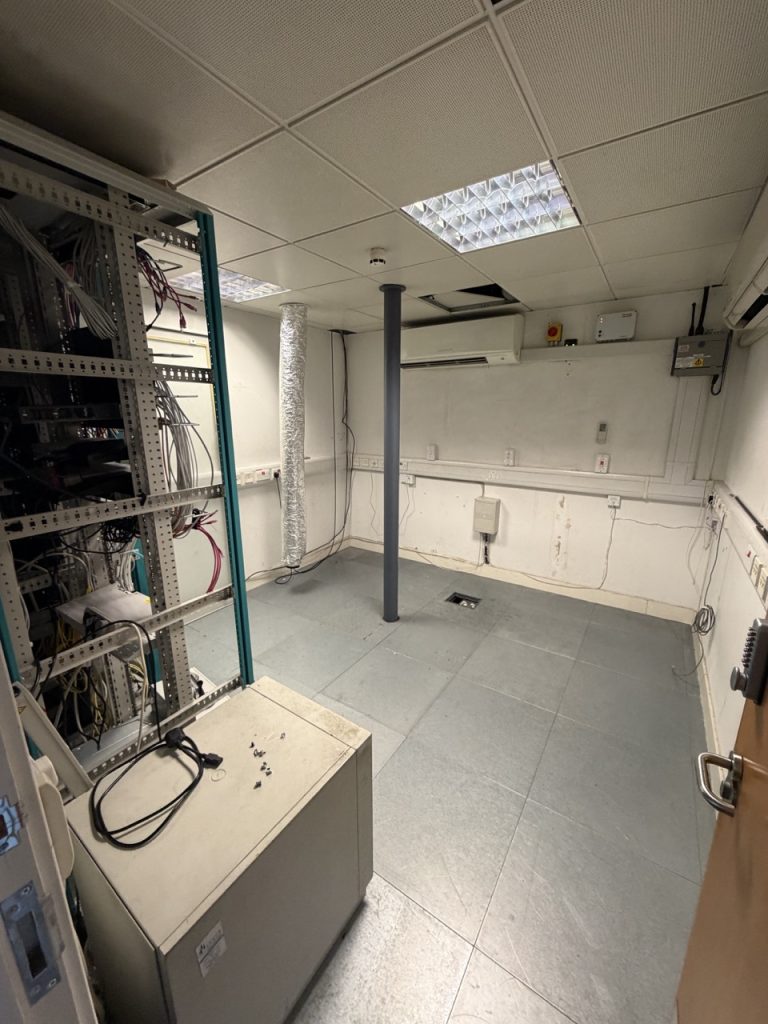
Fully Cleared Comms Room
The point
The lifting and the driving are the easy part of a clearance like this. Anyone can move a rack.
What actually matters is the chain of custody — knowing whose equipment it is, proving what was there, disposing of the data defensibly, and being able to show a clean, signed record from the moment the work started to the moment responsibility passed to someone else.
That is the difference between a clearance that closes a problem and one that opens a new one.
Your Data Centre Asset Audit Will Not Match Your Server Room
A data centre asset audit almost always finds discrepancies. Ask any IT team for a list of what is in their comms room and you will get one – it will be in a spreadsheet, it will look authoritative, and somebody will tell you it is up to date.
It will not be up to date.
This is not a criticism of anyone. It is simply what happens to a document maintained by many people over many years, none of whom are measured on whether it is accurate. Kit gets added during an emergency and never recorded. Kit gets decommissioned and never removed. A switch gets swapped under warranty and the serial changes but the sheet does not. Somebody moves two servers to another site for a project that finishes, and nobody tells the person who owns the spreadsheet.
The list drifts. It always drifts. The question is only whether you find out during an audit or during a move.
The failure most people expect
Ask someone what they think is wrong with their asset register and they will usually say the same thing: there is probably kit in there we have forgotten about.
That does happen. Undocumented equipment turns up regularly — a small switch installed for a project, a spare server left racked “temporarily” four years ago, a device somebody put in and never mentioned.
It is a real problem, and it is not the expensive one.
The failure that actually costs money
We were on a site audit recently where the opposite was true. The client’s list showed more equipment than the room actually contained.
Kit had been moved to other sites over the years. Some had been decommissioned. None of it had ever come off the sheet. The list was a record of everything the organisation had ever owned in that room — not what was in it that morning.
Now consider what happens if that list is used to plan a relocation.
You price the move for equipment that does not exist. You order transit cases for it. You allocate vehicle space by weight and volume for it. You build a floor plan at the destination with rack positions for it. You schedule engineer time to unrack, pack, transport, unpack and rack it.
Then on the night, the kit is not there.
And here is the part that stops a project: the move team cannot tell whether the equipment is missing because it was decommissioned three years ago, because it has been stolen, or because somebody moved it last week and did not say. All three look identical at 2am with a manifest in your hand and a signature to obtain.
Phantom assets do not cause a smaller move. They cause a stopped one — because nobody is willing to sign a handover document that does not reconcile.
What a proper audit actually captures
A row in a spreadsheet saying “Dell R730” is not an asset record. When we audit a room before a move, we capture:
Make, model and serial number — verified from the device, not from the register
Exact rack position — which cabinet, which U, front or rear facing
Power — what it draws from, which PDU, which circuit, dual-fed or single
Connectivity — what is plugged into what, which ports are live, which are patched but dead
Whether it is actually powered on
That last one sounds trivial and is not. On the audit above, every single device in those racks was powered on — which tells you immediately that nothing in the room was a decommissioning candidate, and that every item was in service and would need a downtime window. That is a scoping fact, and it came from looking rather than from asking.
Why the data centre asset audit has to happen before anyone picks up a screwdriver
The audit is not administrative overhead attached to the move. It is the thing that determines whether the move is priced correctly and whether it completes.
The quote. Equipment counts drive vehicle numbers, crew size, case quantities and hours. An inaccurate list produces an inaccurate price, in one direction or the other, and neither party enjoys the conversation that follows.
The manifest. Chain of custody works by signing the same document at both ends. If the document is wrong at origin, it stays wrong all the way to the destination, and the discrepancy surfaces at the worst possible moment.
The insurance. Declared value derives from what is actually being moved. Declaring equipment you no longer own is not a benefit — it is a premium paid for nothing.
The destination design. Rack elevations at the new site are built from the audit. Getting them wrong means discovering on installation night that you are two rack units short in a cabinet that is already cabled.
Do it early enough to be useful
The most common mistake is running the audit as part of the move week.
By then it can only tell you what is going wrong — it cannot change anything. Discrepancies found on the night get resolved by whoever is standing there at the time, under pressure, with a van waiting.
Run it four to six weeks out and every discrepancy becomes a question with time to answer it. Where did those two servers go? Is that switch still under warranty? Does anyone still use this? Half the time the answers reduce the scope of the move, which reduces the cost of it.
The audit routinely pays for itself by removing equipment from the project.
What we would suggest
If you are planning a relocation, a consolidation or a decommission in the next six months, the first useful step is not getting quotes. It is establishing what you actually have.
That can be your own team walking the room with a clipboard — genuinely, that is better than nothing and better than the spreadsheet. Or it can be an independent audit producing a document your suppliers can quote against and your finance team can rely on.
Either way, do it before the list becomes a contract.
AI Hardware Decommissioning: The Other Half of the AI Build-Out
Everyone is watching what’s going up in the AI build-out. Almost nobody is talking about what’s coming out.
The construction story is well covered — gigawatts, land, grid connections, cooling, the race for capacity. Underneath it, something quieter is happening. As workloads shift into hyperscale AI facilities, a lot of traditional enterprise data centres are being consolidated, moved, or switched off entirely. And the kit inside them — servers, storage, network gear, racks by the thousand — has to go somewhere. Data Centre Decommissioning has quietly become one of the biggest operational problems in the industry and almost nobody is planning for it.
It gets wiped and redeployed. Refurbished and resold. Or scrapped.
So the construction boom everyone is writing about is quietly driving a decommissioning boom alongside it. And unlike the build-out, nobody issues a press release when a floor gets cleared.
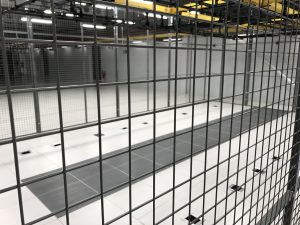
Empty Server Room After disposal
The arithmetic of data centre decommissioning has changed
For most of the last decade, decommissioning was simple economics. Hardware got cheaper and faster every cycle. A three-year-old server was worth less than the labour required to work out what was still good in it. So end-of-life meant clear the floor, destroy the data, move on. Disposal was a cost line, and the goal was to make it small.
That assumption is now under pressure from an unexpected direction: memory.
The AI industry has poured extraordinary investment into overcoming infrastructure bottlenecks — GPUs, data centres, power, networking. Memory manufacturers have invested aggressively too. And yet memory keeps re-emerging as a constraint, with executives and analysts expecting demand to outstrip supply for years.
When memory is constrained, the arithmetic on what comes OUT of a site changes long before anything changes about what goes in.
A three-year-old server that would have been scrapped becomes worth harvesting. DIMMs that had no meaningful secondary market get one. The end-of-life decision stops being “recycle or dispose” and becomes “what can we actually recover here?”
We’re seeing it in the most direct way possible: we now get unsolicited approaches from brokers wanting to buy decommissioned GPU servers. That is not a forecast. That’s the phone ringing.
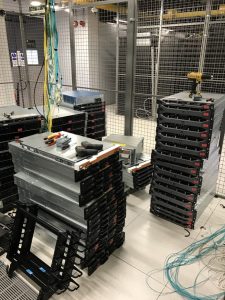
Server Equipment Removed and Awaiting Disposal
Disposal is a cost. Recovery is an operation.
This is the gap, and it’s a wide one.
Most enterprises still treat decommissioning as a disposal problem, and they’ve built their process around that assumption. Kit goes out of the door on a schedule. The emphasis is on clearing the floor by a date and destroying the data on the way. Nobody is asking what’s worth pulling, because for ten years the honest answer was “not much.”
Asset recovery is a different operation entirely. It needs someone who knows what’s in the rack before it comes out, not after. It needs functionality testing, documented. It needs a route to market. It needs different paperwork. And it needs to happen at the same time as the decommission, not as an afterthought — because once kit is on a pallet in a yard, unlabelled and unrecorded, its recoverable value has already dropped.
The organisations that make that switch will find their decommissioning projects paying for themselves. The ones that don’t will keep scrapping things they’ll want back.
The bit that’s data-bearing
There’s a security dimension that tends to get lost behind the water-and-power headlines.
A lot of the kit leaving these sites holds data. Drives leaving a decommissioned facility are a breach risk unless they’re certifiably wiped or destroyed — and “certifiably” is where this usually falls apart.
Certified by whose standard? The reference points are NIST 800-88 and, increasingly, IEEE 2883-2022. Within those, the distinction most people miss is between Clear and Purge. Clear is a logical overwrite. Purge is what’s needed for anything that held regulated data. They are not interchangeable, and a supplier who uses the words loosely is telling you something.
Then there’s the paperwork. A certificate of destruction has to name the method, the operator and the drive serial. “We wiped it” is not a certificate. If you can’t produce evidence per drive two years later when a regulator or an acquirer asks, you don’t have a defence — you have a hope.
This matters more, not less, as recovery economics improve. The more valuable a drive is, the more likely it is to be sold on rather than shredded — and a resold drive that wasn’t properly sanitised is a breach with a paper trail leading back to you.
The classification trap: used equipment or waste?
The other thing that catches people is a distinction that sounds like pedantry right up until it isn’t.
Your functional servers aren’t waste. Unless you can’t prove it — and then they are.
The distinction is UEEE (used electrical and electronic equipment) versus WEEE (waste). Functional equipment being relocated for reuse falls outside the EU Waste Shipment Regulation — now Regulation (EU) 2024/1157, which came into force on 21 May 2026 and replaced the long-standing 2006 regime — but only if the conditions are met: functionality tested and documented before it moves, moving under a business-to-business contract to somewhere it will actually be used, with the documentation travelling with the load, not emailed afterwards or filed at origin.
The new rules matter here. One of the regulation’s stated aims is to stop waste being passed off as used goods, and shipments are now processed digitally through a new system rather than on paper. In practice the bar for proving your kit is equipment and not waste is higher than it was — which makes the evidence you carry more important, not less.
Miss any of those and the classification flips. It doesn’t matter that the servers boot fine. If you can’t evidence it at the border, the presumption isn’t in your favour, and a routine consolidation becomes an illegal waste shipment.
Where this bites hardest is exactly where the decommissioning boom is happening: consolidation projects. Someone decides to move a few hundred servers from one site to another, treats it as a logistics exercise, and nobody asks the classification question until the load is stopped.
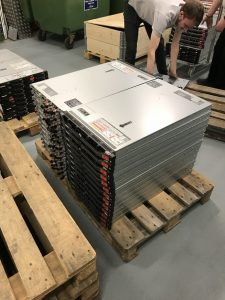
Servers Palletised and Ready for Further Processing
Who feels it first
If hardware stays constrained, the organisations that feel it first probably aren’t the hyperscalers. They’re hedged, they buy forward, and they have the relationships to secure supply.
It’s the mid-market. The organisations that disposed of perfectly serviceable hardware last year, on the reasonable assumption that they could always buy more, and now find that replacing it costs more and takes longer than it used to.
That’s an unglamorous consequence of a very glamorous story, and it’s the one that will show up on someone’s budget.
What this means for infrastructure leaders
The practical implication is that decommissioning is no longer the end of a project. It is a project.
It needs planning at the same time as the migration, not bolted on at the end. It needs someone who knows what’s in the rack, what it’s worth, what has to be destroyed and what can be recovered — and who can evidence all of it afterwards. Those aren’t separable disciplines any more than they are on the way in.
And the questions worth asking are the uncomfortable ones. What’s actually in that room? Which of it is data-bearing? Who signs the certificate, and what does it say? If we’re moving it rather than scrapping it, can we prove it’s equipment and not waste?
The organisations that handle this well are the ones asking those questions before the decommission is scheduled. The ones that don’t tend to discover the answers under time pressure, with a floor to clear by Friday.
How DataMove can help
The AI story isn’t just about what gets built. It’s about what happens to everything it replaces — and that second half is a large part of what we do.
If you’d like the detail on what certified erasure actually involves, we’ve written about that here. If you’re planning a consolidation or exit, our migration strategy and site assessment service exists for exactly this — a senior engineer walks your floor and hands you a costed plan you own.
What Data Erasure Actually Involves (and Why It Matters)
When organisations refresh, relocate or decommission data centre infrastructure, attention naturally focuses on the new kit and the migration itself. What gets less attention — until it becomes a problem — is what happens to the data on the equipment being retired. Done properly, data erasure is a controlled, certified, auditable process. Done badly, or skipped, it’s one of the most serious compliance and security risks an organisation can carry.
This is a practical guide to what data erasure actually involves, why it matters, and what to look for when it forms part of a relocation, refresh or decommissioning project.
Why Data Erasure Matters
Every piece of storage hardware leaving your control — drives, servers, storage arrays, even networking equipment with configuration data — is a potential data breach if the data isn’t properly removed. Deleting files or reformatting a drive doesn’t erase the underlying data; it simply removes the pointers to it, leaving the data recoverable with freely available tools.
For regulated sectors — financial services, healthcare, legal, government — the consequences of getting this wrong are severe: regulatory penalties under GDPR and sector-specific rules, reputational damage, and the direct risk of sensitive data falling into the wrong hands. The obligation doesn’t end when the hardware leaves the building. It ends when the data is provably gone.
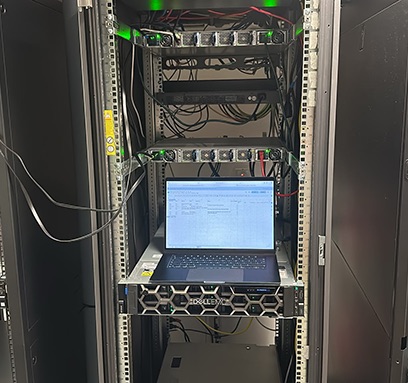
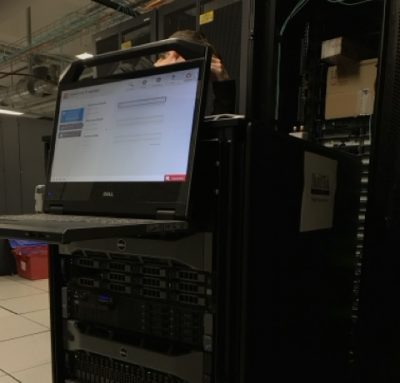
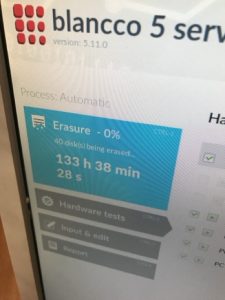
Blancco Disk Eraser being used on site on enterprise hardware
The Difference Between Deletion, Erasure and Destruction
These terms are often used interchangeably, but they mean very different things:
Deletion — removing the file pointers. The data remains on the disk and is easily recoverable. This is not a secure method.
Data erasure (or wiping) — overwriting the entire storage medium with patterns of data, to recognised standards, so the original data cannot be recovered. The hardware remains intact and reusable.
Physical destruction — shredding, degaussing or otherwise physically destroying the storage medium so it can never be used again. Appropriate when hardware is end-of-life or when policy requires it.
The right choice depends on the hardware’s onward journey. Kit being redeployed or resold should be securely erased to preserve its value. Kit that’s genuinely end-of-life, or that held the most sensitive data, may warrant physical destruction.
Recognised Standards
Proper data erasure is carried out to recognised standards rather than ad hoc. These define how many overwrite passes are required and how the result is verified. Certified erasure software produces a tamper-evident record for each device processed, which forms the basis of your audit trail.
The certificate is the point. Anyone can run a wiping tool. What demonstrates compliance is a documented, verifiable record showing exactly which device, identified by serial number, was erased, to what standard, when, and by whom.
Onsite vs Offsite Erasure
One of the most important decisions is where the erasure happens.
Onsite erasure means the data is destroyed before the hardware leaves your premises. For regulated data, this is often non-negotiable — the data never travels, never leaves your chain of custody intact, and there’s no window during transport where it could be lost or intercepted. For financial services and similar sectors, onsite erasure (or onsite physical destruction) is frequently the only acceptable approach.
Offsite erasure means the hardware is transported to a secure facility for processing. This can be appropriate for less sensitive data or larger volumes, but it introduces a transport phase that must itself be secured and documented, and it requires complete trust in the chain of custody.
The right answer depends on your data classification, your regulatory obligations and your risk appetite. For the most sensitive data, the principle is simple: the data shouldn’t leave the building until it’s already gone.
Data Erasure as Part of a Relocation
Data erasure frequently arises as part of a wider data centre relocation or refresh. When infrastructure moves to a new facility or jurisdiction, the old hardware often stays behind — and it still holds data. The erasure plan needs to be part of the project from the start, not an afterthought once the new kit is live.
This is particularly relevant for cross-border moves and consolidations, where equipment is being retired in one location while operations move to another. We routinely build certified erasure or destruction into relocation projects, so the retirement of old infrastructure is handled to the same standard as the migration of the new.
The Environmental Angle
There’s a sustainability dimension too. Securely erasing hardware rather than destroying it means it can be redeployed or resold for second-life use — retaining its value and avoiding the considerable embodied carbon and resources that went into manufacturing it. A single server can represent over 1.5 tonnes of CO2 in embodied carbon before it’s ever switched on. Where data classification allows erasure over destruction, it’s both the more economical and the more environmentally responsible choice.
What to Look For
If data erasure forms part of a project, the essentials to insist on are:
Erasure to a recognised standard, not ad hoc wiping
A certificate of erasure or destruction for every device, identified by serial number
The option of onsite processing for sensitive data
Full chain-of-custody documentation throughout
Secure handling of any hardware being transported for offsite processing or disposal
Environmentally responsible disposal or recycling of genuinely end-of-life equipment
How DataMove Can Help
We provide data erasure and disposal services, including onsite erasure and shredding, as standalone projects or as part of a wider relocation or decommissioning. Every device is processed to recognised standards, certified, and fully documented — so you have provable evidence that your data obligations have been met.
Bespoke Data Engineering: Delivering 50TB of Encrypted Data on Physical Media
When a publicly listed data company needed a partner to deliver large format, heavily encrypted data sets on physical spinning disk media, they turned to DataMove.
Each project delivery so far has involved between 15TB and 50TB (terabytes!) of data, generally composed of tens of millions of heavily encrypted proprietary files. This data is housed securely in the cloud and needs a careful drawdown process, writing to physical hardware (spinning disks) and then finally delivered in person to the customer.
There were several technical constraints to overcome and find a working solution to finesse:
Rate limits on downloads from the cloud meant that traditional (naïve) transfer methods would take weeks, maybe even months — not the days that we needed to target.
Write thresholds on the destination drive hardware created bottlenecks.
The client specified a particular hardware configuration — an external device running RAID across legacy enterprise-grade spinning disks — chosen for reliability and security over raw speed.
Delivery deadlines were commercial — this was an ongoing project which needed a reliable delivery mechanism.
Our Approach
Our in-house engineers designed a bespoke solution to tackle the rate limit and throughput bottlenecks.
We developed custom Python scripts — one of which uses a partial segmentation method — to parallelise downloads in a way that both maximises sustained throughput to the spinning disks whilst respecting the source rate limits which would always be apparent in any case. This approach effectively bypasses both choke points.
We already run triple dedicated gigabit fibre pipes on lease from Openreach. This gives us essentially unlimited network capacity (with disk rates in mind) to ingest this data at scale.
The hardware build follows the client’s spec — RAID across enterprise spinning disks, specifically configured for the reliability profile the customer required. The finished projects are delivered by DataMove staff to the customer in person.
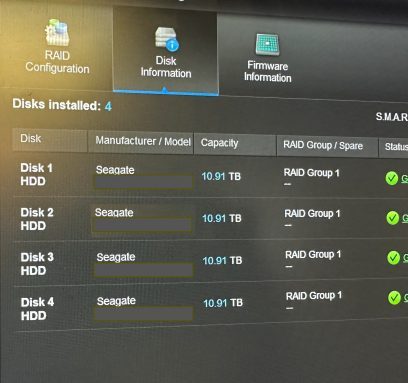
One of the RAID arrays we built for this project – this one 40TB, configured across enterprise spinning disks for reliability and secure delivery.
Why Does Any of This Matter?
It would be easy to look at this as a layman and see it as a “simple data backup”. It isn’t. This is a bespoke engineering solution with a multi-faceted custom codebase developed just for this one client and their specific data drawdown requirement. No two projects at this kind of scale could ever be the same.
The difference between taking these steps or not would ultimately be failure and an inability to deliver.
This is what “white glove service” means to us — hearing of a problem, figuring out a solution, and then actioning a deliverable time and time again.
“When we urgently needed large quantities of data transferred in ways we’d never done before, we turned to DataMove. They were able to provide a capability that was previously not possible, delivered in an extremely collaborative and timely manner.”
— Customer
The Ongoing Relationship
We have delivered multiple projects for this customer to date and the relationship continues. Every project we carry out benefits from our custom scripts and our infrastructure which is already in place.
We are continually improving this setup, which means subsequent projects run faster, with guaranteed reliability and — ultimately — predictability for the client.
If your project doesn’t fit into a standard service category — if it needs custom development, specialist hardware or a problem-solving approach — we’re happy to talk it through.
Why Location Is the Most Important Decision in AI Infrastructure
The headlines around AI infrastructure focus on chips, models and compute capacity. The quieter conversation, happening in operations meetings rather than at conferences, is about location. Specifically: where on the map an organisation chooses to put its AI workloads — and what to do when the host jurisdiction can no longer support them.
This is becoming the most consequential infrastructure decision AI-heavy organisations make. And it’s increasingly answered with the same conclusion: relocate.
The AI Power Density Problem
AI workloads behave differently from traditional enterprise tasks. Training runs draw enormous, sustained power. Inference at scale draws less per query but at higher volume, with strict latency requirements. Together, they create a power density profile that legacy data centre infrastructure was never designed for.
The result is that AI deployments push facility utilisation toward the limits of what local grids can support. When the limit is reached, three options exist: wait for the grid to expand, accept reduced operational capacity, or move the workload to a location with surplus capacity. The first option is measured in years. The second is rarely commercially viable. The third — physical relocation — is increasingly the realistic answer.
What the Denmark Pause Tells Us
In early 2026, Denmark’s grid operator paused new data centre connection agreements after demand requests outpaced national peak capacity. The Netherlands has imposed similar restrictions. Ireland has been managing data centre connection requests against grid capacity for years.
This isn’t a localised phenomenon. It’s a pattern emerging in every advanced economy where data centre demand growth is exceeding the pace of grid expansion. Operators in these locations face a binary choice: scale within the constraints of the existing grid (typically meaning slower growth than the business requires) or relocate to jurisdictions that can support the load.
This is the context in which Alex MacColl – DataMove Project Manager EMEA – provided commentary to Energy Central in May 2026. The reality is that for latency-sensitive workloads — financial transactions, betting platforms, real-time inference — the workload can’t simply be re-timed to fit available capacity. The deciding position is seemingly becoming physical location.
Why “Just Use Cloud” Doesn’t Solve It
It would be tempting to assume that public cloud absorbs the location problem. It doesn’t, for three reasons.
First, hyperscale cloud providers face exactly the same grid capacity issues as everyone else. AWS, Azure and Google all run on physical data centres that need physical grid connections. When a regional grid hits capacity, cloud capacity in that region constrains too. Cloud abstracts the infrastructure for the user but doesn’t make the underlying physics go away.
Second, sovereignty and data residency requirements increasingly mandate that certain workloads remain in specific jurisdictions. Cloud doesn’t solve this — it merely changes who is responsible for the physical location decision.
Third, cloud pricing is increasingly being reassessed by organisations running high-volume AI workloads. The economics of sustained inference workloads frequently favour private infrastructure or colocation, particularly when energy costs and contract certainty are factored in. That’s driving the cloud repatriation trend — and physical relocation is the mechanism that delivers it.
Location as Strategic Decision
The implication for AI-heavy organisations is that infrastructure location decisions are no longer purely a property or facilities question. They are a strategic technology decision with material consequences for AI roadmap delivery.
The factors operators are increasingly weighing:
Grid connection certainty — not just current capacity, but the speed and reliability of the connection agreement process
Energy pricing predictability — long-term contracts and tariff stability matter more than today’s headline rate
Regulatory environment — data residency, AI governance regulations and sector-specific compliance requirements
Latency to end users — for inference workloads, geographic distance to the customer base genuinely affects competitive position
Organisations weighing all five factors against their current location often conclude that relocation, in part or in whole, is the rational answer. The question then becomes how to execute it.
The Physical Reality of Moving AI Infrastructure
AI-grade infrastructure is heavier, denser and more sensitive than typical enterprise kit. High-density storage units, GPU servers, advanced cooling apparatus — all of this needs specialist handling during a relocation. Deracking, packaging, transit, customs (if cross-border), reracking and reconfiguration all need to be planned together as a single engineering project, not as separate logistics steps.
The lead times involved are also longer than many organisations anticipate. Securing a new colocation contract, planning the move, executing the physical relocation and verifying full operational restoration is typically a multi-month process for any meaningful infrastructure footprint. Organisations that wait for a grid trigger event before starting to plan find themselves in a difficult position.
The Strategic Window
The current period is a strategic window for AI-heavy organisations to make these decisions deliberately rather than reactively. Grid constraints are not yet acute everywhere. Jurisdictions with surplus capacity are still accepting connection agreements at reasonable timelines. Specialist relocation capacity is available without long booking lead times.
We’re already seeing this play out, with northbound moves to the Nordics — Sweden, Norway and Finland — where natural cooling and abundant hydro power sidestep the grid and heat constraints affecting other markets. For UK organisations, that increasingly means a UK to Nordics relocation.
The organisations that have started planning their location options now will be in a much stronger position than those that wait for the constraint to bite. The pattern from Denmark, the Netherlands and Ireland suggests that more jurisdictions will hit capacity limits over the next 18-24 months. The earlier the strategic conversation happens, the more options remain on the table.
How DataMove Supports AI Infrastructure Moves
We’ve delivered physical infrastructure relocations across 58+ countries, with significant experience in moves driven by capacity, regulatory or commercial constraints in the host jurisdiction. For AI-heavy organisations evaluating their location options, we can support every stage from initial planning through to full operational restoration at the destination, as well as decommissioning services for hardware that is surplus to requirements.
Why 2026 is the Year of Cross-Border Data Centre Relocations
The data centre industry has spent the last decade focused on hyperscale, AI infrastructure and cloud strategies. Beneath these headlines, another trend has been accelerating: the cross-border physical relocation of data centre infrastructure for a number of reasons.
2026 is shaping up to be the year that this migrates from steady to substantial. Here’s why:
1. Government Regulation and Tax Changes
The single biggest reason for change is governments utilising tax policy to govern where regulated industries can operate from. The UK’s Remote Gaming Duty doubling from 21% to 40% is the clearest example in recent years. Within months of the announcement we have seen numerous operators run full audits on their infrastructure and ongoing requirements.
Flutter moved Sky Bet’s headquarters from the UK to Malta in November 2025. Analysis by Tax Policy Associates for ITV News put the potential saving at up to £55m a year — roughly £31m in corporation tax and £24m in VAT relief on marketing. Flutter says the decision was strategic and commercial rather than tax-driven, and that Sky Bet continues to pay UK corporation tax on its profits. Flutter had also moved Sky Gaming’s head office to Gibraltar the previous year.
Those were corporate relocations rather than physical ones. But they show the direction of travel — and when a regulated operator’s commercial centre of gravity shifts jurisdiction, the infrastructure question tends to follow it.
This isn’t just a paper exercise. When an operator’s regulatory environment changes, the physical infrastructure that processes regulated activity often has to move with it. That means servers, switches, storage and supporting kit being de-racked, packaged, transported and reinstalled in a new country.
2. Grid Capacity and Power Constraints
Denmark’s grid operator paused new data centre connection agreements in early 2026 after demand requests reached roughly 60 gigawatts against national peak demand of about 7 gigawatts. The Netherlands has imposed similar restrictions and Ireland has been managing data centre power requests against grid capacity for years.
With a three or five-year hardware refresh cycle, “let’s wait for grid expansion” is not going to be a viable answer. The practical alternative is to relocate to environments with surplus capacity. We’ve moved infrastructure between countries specifically because the target area couldn’t deliver on the power agreements that were needed.
This trend is structural rather than cyclical. AI-driven infrastructure is expanding power demand faster than national grids can plan – let alone build, which means locations with surplus power, predictable connection processes and reasonable costs become incredibly attractive.
3. Sovereignty and Data Residency Requirements
Cloud workloads don’t solve regulatory requirements. Sectors handling sovereign data — financial services, healthcare, defence, certain types of public sector data — are increasingly subject to rules requiring data to be processed with specific parameters in mind.
This is driving two parallel trends. Some organisations are repatriating workloads from public cloud to colocation facilities in approved locations. Others are establishing parallel infrastructure footprints in multiple countries to meet the rules in each market they serve. Both require physical infrastructure movement.
4. Post-Brexit Trade Realities
Five years on from the UK’s departure from the EU, the operational implications of cross-border IT logistics have settled into a more predictable but nonetheless demanding pattern. T1 transit declarations, EORI registrations, customs paperwork stamped at exit points, the practical realities of moving controlled-value equipment through Channel Tunnel and onward across Europe — all of this is now routine work for specialist providers, but it’s not work most general logistics companies are set up to handle.
The consequence is that organisations needing to move infrastructure between the UK and EU increasingly turn to specialist providers who understand the documentation and customs process. The work itself hasn’t become harder, but the gap between specialists and generalists has widened significantly.
5. Cloud Repatriation
The cloud-first decade is being reassessed by a meaningful slice of the enterprise market. Cost pressures, predictability requirements and growing concern about vendor lock-in are driving organisations to bring workloads back from public cloud to private infrastructure — sometimes in their original jurisdiction, sometimes in a new one chosen for cost or regulatory reasons.
The specialist physical migration capability needed to support cloud repatriation has thinned out during the cloud-first decade as many organisations divested their data centre operations teams. Re-establishing that capability typically means engaging specialist providers rather than rebuilding it in-house.
6. Consolidation and M&A Activity
Mergers, acquisitions and operational consolidation in regulated industries frequently trigger infrastructure moves. The recent Allen & Overy / Shearman & Sterling merger is one example from the legal sector.
Gambling sector consolidation is ongoing. Financial services consolidation continues. Each merger or acquisition typically results in some degree of infrastructure rationalisation — closing one facility, consolidating into another, sometimes physically moving kit between countries to match the new organisational footprint.
What This Means for Infrastructure Leaders
For CIOs, infrastructure directors and operations leaders, the practical implication is that cross-border infrastructure moves are no longer an unusual event. They’re increasingly part of business-as-usual planning, particularly in regulated industries.
That changes how the work needs to be planned and resourced. Cross-border moves aren’t logistics projects with engineering bolted on — they’re engineering projects with logistics in the middle. Documentation, customs, transit routing, chain of custody and engineering oversight are not separable disciplines. They have to be planned together, from the start.
The other implication is timing. The lead time to relocate live infrastructure between countries is measured in weeks and months, not days. Organisations that wait for a regulatory or commercial trigger before starting to plan will find themselves under significant time pressure. The operators who navigate these moves smoothly are the ones who have done at least the strategic groundwork before the trigger event lands.
How DataMove Can Help
We’ve delivered data centre relocations in over 58 countries, with particular concentration in the regulated jurisdictions driving most of this current trend — Gibraltar, Malta, Cyprus, Sweden, Germany, Netherlands, Ireland, Jersey, Guernsey, the Isle of Man and Andorra. We handle the full process: planning, asset audit, packaging, customs documentation, specialist transport, deracking, reracking and final verification.
If your organisation is anticipating a cross-border infrastructure move — whether driven by regulation, capacity, sovereignty, cloud repatriation or consolidation — the earlier we’re involved in the planning, the smoother the project tends to run.