[pci-cat-slider slidestoshow="4" exclude_cat="4" show_count="false"]
Case study 1 featured image - servers & disks.

Crédit Agricole Bretagne Onsite Data Erasure Case Study

Case study 1 header image - servers & disks.

Case Study: Crédit Agricole Bretagne Onsite Data Erasure

CLIENT OVERVIEW

Crédit Agricole “The Green Bank” is the second largest bank in France with 39 independent regional banks across France and 9,500 branches globally. The operation is a large one and naturally their data centre estate is significant.

THE CHALLENGE

DataMove were approached to help facilitate a data hall upgrade and disposal as well as secure onsite data erasure prior to activities starting. Due to staff shortages and a tight timescale with their new data hall going live, these activities needed to take place between Christmas and New Year.

DEPLOYMENT

Project Managers Andy and Tony worked together to deploy a crew, planning to travel overnight from Portsmouth to Caen on Boxing Day Evening and arriving ready to work onsite on 28th December equipped with our mobile erasure rigs, shredder (as a backup) and a fully equipped team of three engineers. The plan was to finalise erasure before returning for New Years celebrations and continuing with disposal and migration in the first week of the new year.


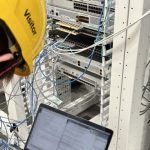
The six racks of Hitachi Virtual Storage Platform each containing hundreds of high capacity disks were erased using one of our three mobile Blancco rigs – designed from the ground up to be deployable within hours and able to erase hundreds of disks a day.


Being lightweight and flightcase based – we are able to express transport by Sprinter Van or even Airfreight these powerful server based rigs to our client sites globally.


With 24 hour access being issued to us by the client, our engineers were able to work in two shifts and have over 1,800 drives erased in just two days. Our rigs contain three powerful Dell servers communicating via PERC H800 cards and operating on their own temporary network, each capable of erasing hundreds of drives at a time. Any failed drives were pulled and marked and then securely erased and accounted for in our asset disposition reports. Blancco certificates are issued physically and digitally onsite.

OUTCOME

Our team were able to complete the clients data erasure requirements within the time threshold and at a tricky time of year.


The speed and accuracy of our project managers ability to fulfil the job is testament to the versatility of our engineering team and the flexibility of our modular onsite equipment that we have designed with the job – and the job only – in mind.


Our engineers even managed to stop by the Normandy beach memorial on their way back to the ferry port to pay their respects and reflect on the hardships others have suffered for our benefits.


For more information on our onsite erasure services or to get a quote, contact us today.

Case study 1 - failed drive.
Failed drive
Erasure process

Managing a Successful Data Centre Migration

Engineers working in data centre.

Managing a Successful Data Centre Migration: A Strategic Approach

Data centre migration represents one of the most complex and critical projects an IT department can undertake. Whether driven by the need for enhanced capabilities, cost reduction, or infrastructure modernisation, successful migrations require meticulous planning and execution.

Comprehensive Planning Phase

The foundation of any successful data centre migration lies in thorough planning. This phase typically spans several months and involves:

  • Creation of detailed project timelines and milestones
  • Development of comprehensive resource allocation plans
  • Establishment of clear success criteria
  • Formation of dedicated migration teams

Critical success factors during planning include establishing a dedicated project team, securing executive sponsorship, and developing comprehensive communication channels across all stakeholders. The team must also create detailed inventories of hardware, software, and network configurations, ensuring nothing is overlooked during the transition.

Risk Assessment and Mitigation

Every data centre migration carries inherent risks to business continuity. Successful projects require robust risk assessment frameworks that identify potential points of failure and establish clear mitigation strategies. Key considerations include:

  • Business impact analysis for critical systems
  • Detailed contingency and rollback plans
  • Definition of recovery time objectives (RTOs)
  • Establishment of recovery point objectives (RPOs)

Business impact assessments help prioritise the migration sequence, identifying critical systems that require additional attention or specialised handling. Teams should ensure business requirements are met throughout the transition.

Technical Execution Strategy

The actual migration requires a carefully orchestrated approach. Most successful migrations employ a phased strategy, moving systems in logical groups to minimise disruption. This might involve:

  • Infrastructure preparation and testing
  • Data replication and synchronisation
  • Application migration and validation
  • Network cutover and DNS updates

Each phase requires thorough testing and validation before proceeding to the next stage. Documentation must be maintained and updated throughout the process, reflecting any changes or unexpected modifications required during the migration.

Stakeholder Management

Clear communication proves vital throughout the migration process. Stakeholders must receive regular updates about progress, potential impacts, and any schedule changes. Essential communication elements include:

  • Weekly status meetings and progress reports
  • Documented escalation procedures
  • Scheduled maintenance windows
  • User impact notifications

Post-Migration Activities

After the physical migration completes, attention must turn to stabilisation and optimisation. Teams should monitor system performance, address any issues promptly, and document lessons learned. Critical post-migration tasks include:

  • Performance monitoring and optimisation
  • Configuration validation and documentation updates
  • User support and training
  • Decommissioning of old infrastructure

Looking Forward

The completion of a data centre migration often marks the beginning of a new operational phase. Teams should leverage the momentum and knowledge gained during the migration to establish improved operational practices and governance frameworks.

Success metrics should track:

  • System performance improvements
  • Cost savings realisation
  • User satisfaction levels
  • Operational efficiency gains

Successful data centre migrations require a delicate balance of technical expertise, project management skills, and stakeholder communication. By following a structured approach and maintaining clear communication throughout the process, organisations can achieve their migration objectives whilst minimising disruption to business operations.

The experience gained through such migrations often proves invaluable for future infrastructure projects, providing organisations with enhanced capabilities and a stronger foundation for future growth.

Disposal blog post thumb image.

Responsible Disposal of Business Technology

Disposal blog post featured image.

Responsible Disposal of Business Technology: A Modern Necessity

The challenge of disposing of outdated business technology has become increasingly complex in our digital age. With organisations regularly upgrading their IT infrastructure, the question of how to properly dispose of old equipment has never been more pressing.

Security at the Forefront

When businesses retire their computers, servers, and other electronic equipment, data security must be the top priority. Simply deleting files or formatting drives isn’t sufficient—sophisticated data recovery tools can often retrieve supposedly erased information. Professional disposal services employ several crucial security measures:

  • Secure data erasure using certified software
  • Physical destruction of hard drives
  • Detailed documentation and verification certificates

Environmental Considerations

Electronic waste presents significant environmental challenges. Many components contain harmful materials such as lead, mercury, and flame retardants. Proper disposal ensures these materials don’t end up in landfills where they can harm the environment. Professional disposal companies manage this process through careful separation of recyclable materials and safe processing of hazardous components, all while maintaining strict compliance with environmental regulations.

Cost Recovery Options

Rather than viewing old technology as a liability, businesses can often recover value from their retired equipment. This might involve identifying and refurbishing equipment suitable for resale, or recycling valuable components. Many disposal services provide comprehensive documentation for tax purposes and may even offer credit towards new equipment purchases.

Choosing a Disposal Partner

When selecting a company to handle technology disposal, businesses should look for these key qualities:

  • Robust security certifications and environmental compliance records
  • Clear audit trails and comprehensive insurance coverage
  • Strong industry reputation and proven track record

Looking Ahead

The field of technology disposal continues to evolve, with regulatory frameworks becoming increasingly stringent. Data protection requirements grow more complex each year, while environmental standards continue to rise. The industry is seeing a marked shift towards sustainable practices and circular economy principles, where the focus lies on maximising resource efficiency and minimising waste.


As businesses continue to rely more heavily on technology, proper disposal of electronic equipment becomes increasingly crucial. Choosing the right disposal partner helps organisations protect sensitive data, meet regulatory requirements, and demonstrate environmental responsibility—all while potentially recovering some costs.

Server Room thumbnail.

The Strategic Case for Data Centre Migration

Data Centre

The Strategic Case for Data Centre Migration

In today’s rapidly evolving digital landscape, organisations face mounting pressure to modernise their infrastructure. Data centre migration, while potentially daunting, offers compelling advantages that can transform your business operations.

Immediate Business Benefits

  • Cost Optimisation
    • Reduced operational expenditure through modern, energy-efficient facilities
    • Elimination of legacy infrastructure maintenance costs
    • Predictable monthly costs rather than large capital investments
    • Potential tax benefits from reduced capital expenditure
  • Enhanced Performance
    • Access to state-of-the-art hardware and networking capabilities
    • Improved application response times
    • Better connectivity options with multiple tier-1 providers
    • Reduced latency through optimised infrastructure
  • Scalability Advantages
    • Flexible capacity adjustment based on business needs
    • Rapid deployment of new resources
    • Easy geographic expansion capabilities
    • Pay-as-you-grow model avoiding over-provisioning

Operational Improvements

  • Increased Reliability
    • Modern power and cooling infrastructure
    • Advanced fire suppression systems
    • Multiple redundancy levels
    • 24/7 professional monitoring and support
  • Better Security
    • Physical security with multiple authentication layers
    • Advanced surveillance systems
    • Regular security audits and certifications
    • Professional security staff on-site
  • Improved Compliance
    • Updated facilities meeting latest regulatory requirements
    • Regular compliance audits
    • Better data sovereignty control
    • Enhanced ability to meet GDPR requirements

Strategic Advantages

  • Business Continuity
    • Robust disaster recovery capabilities
    • Multiple backup power sources
    • Geographic redundancy options
    • Reduced risk of operational disruption
  • Environmental Benefits
    • Reduced carbon footprint through efficient cooling systems
    • Lower power consumption with modern equipment
    • Better alignment with corporate sustainability goals
    • Potential for renewable energy usage
  • Competitive Edge
    • Faster time-to-market for new services
    • Enhanced customer experience through better performance
    • Improved ability to adopt new technologies
    • Better position to handle future growth

Staff and Resource Benefits

  • Operational Focus
    • IT team freed from infrastructure management
    • More time for strategic projects
    • Reduced training requirements for infrastructure maintenance
    • Access to specialist expertise when needed
  • Skills Development
    • Exposure to modern technologies
    • Opportunity to focus on innovation
    • Reduced routine maintenance workload
    • Better work-life balance for IT staff

Risk Mitigation

  • Reduced Technical Debt
    • Elimination of outdated systems
    • Modern infrastructure reducing compatibility issues
    • Streamlined technology stack
    • Easier future upgrades
  • Future-Proofing
    • Better positioned for emerging technologies
    • Easier integration of new services
    • Regular technology refreshes included
    • Reduced risk of obsolescence

Data centre migration represents a significant opportunity to modernise, optimise, and future-proof your organisation’s infrastructure. While the process requires careful planning and execution, the long-term benefits typically far outweigh the initial investment and effort required.

Broken servers in data centre thumbnail.

The Hidden Perils of Data Migration – Tales from the Digital Trenches

Broken servers in data centre.

The Hidden Perils of Data Migration - Tales from the Digital Trenches

In today’s digital landscape, data migration might seem like a routine operation, but beneath its seemingly straightforward surface lurks a minefield of potential disasters. From corrupted databases to lost customer records, the consequences of botched data relocations continue to haunt businesses long after the initial incident.


Consider the case of a major European retailer that attempted to consolidate its customer databases across five countries in 2022. What was planned as a weekend migration stretched into a two-week nightmare when incompatible character encodings scrambled customer names and addresses. The result? Thousands of misrouted deliveries and an estimated €2 million in losses.


Database incompatibility issues represent just the tip of the iceberg. A mid-sized healthcare provider learned this lesson the hard way when attempting to transfer patient records to a new system. Critical medication allergies disappeared during the transfer due to field mapping errors, leading to several near-miss incidents before the problem was discovered. The facility had to manually verify 50,000 patient records, bringing normal operations to a crawl for months.


Security breaches during data transfers present another serious concern. When a financial services firm failed to properly encrypt their data during a cross-country server relocation, they inadvertently exposed sensitive client information to potential threats. Though no breach occurred, the incident triggered regulatory investigations and hefty fines for compliance violations.


The human factor often compounds these technical challenges. A Silicon Valley startup lost three years of development data when a junior engineer misinterpreted migration protocols and overwrote the master database with an outdated backup. The company’s lack of proper documentation and verification procedures turned a routine server upgrade into an existential crisis.


Even tech giants aren’t immune. In a notorious incident, a cloud service provider’s automated migration tool encountered an edge case that duplicated customer billing records, resulting in thousands of accounts being overcharged. While the financial damage was eventually reversed, the reputational impact lingered for years.


To avoid joining these cautionary tales, organizations must embrace comprehensive planning, rigorous testing, and redundant backup systems. Success in data relocation demands more than technical expertise – it requires meticulous attention to detail, clear communication protocols, and a healthy respect for Murphy’s Law. As our digital footprint continues to expand, the stakes of data migration only grow higher, making proper preparation not just advisable, but essential for survival in the modern business landscape.

Office relocation and data migration article featured image thumb.

Streamlining Your Move – The Advantages of Hiring Professionals for Office Relocation and Data Migration

Office relocation and data migration article featured image.

Streamlining Your Move: The Advantages of Hiring Professionals for Office Relocation and Data Migration

In today’s fast-paced business world, office relocations and data migrations are becoming increasingly common. Whether you’re expanding, downsizing, or simply moving to a more suitable location, these processes can be complex and time-consuming. This article explores the benefits of hiring a professional company to handle your office relocation and data migration needs, while also considering some potential drawbacks.

The Pros of Professional Assistance

1. Expertise and Experience

Professional relocation and data migration companies bring a wealth of experience to the table. They’ve handled numerous moves across various industries, giving them insights into potential pitfalls and best practices that your in-house team might not have.

2. Time and Cost Efficiency

While it might seem counterintuitive, hiring professionals can often save you money in the long run. They work efficiently, minimising downtime and reducing the risk of costly mistakes. Your employees can focus on their regular duties instead of being bogged down by the move.

3. Comprehensive Project Management

A professional company will provide end-to-end project management, from initial planning to final implementation. This includes:

  • Creating detailed timelines and checklists
  • Coordinating with various stakeholders
  • Managing logistics and transportation
  • Ensuring compliance with regulations and best practices

4. Advanced Tools and Technologies

Professional firms have access to specialised tools and technologies for data migration and office relocation. This can include advanced software for data transfer, specialised packing materials, and efficient moving equipment.

5. Minimal Disruption to Business Operations

With their experience and resources, professional companies can significantly reduce the disruption to your day-to-day operations. They can often work outside of business hours and implement strategies to keep your business running smoothly during the transition.

6. Data Security and Integrity

When it comes to data migration, security is paramount. Professional companies employ robust security measures to protect your sensitive information during the move. They also use advanced techniques to ensure data integrity, minimising the risk of data loss or corruption.

7. Scalability and Flexibility

Whether you’re a small startup or a large corporation, professional relocation services can scale their offerings to meet your needs. They can handle everything from single-office moves to complex, multi-site relocations.

Potential Drawbacks to Consider

While the benefits are numerous, it’s important to consider some potential drawbacks:

  1. Cost: The upfront cost of hiring professionals can be higher than attempting to manage the move in-house.
  2. Less Direct Control: Outsourcing the process means you’ll have less direct control over every aspect of the move.
  3. Dependency: You’ll be relying on the chosen company’s timeline and processes, which may not always align perfectly with your preferences.

The Smart Choice for a Smooth Transition

Despite these minor considerations, the advantages of hiring professionals for office relocation and data migration far outweigh the potential drawbacks. The expertise, efficiency, and peace of mind that come with professional services can make your transition smooth and stress-free.

By entrusting your move to experienced professionals, you’re not just relocating an office or migrating data – you’re investing in the continuity and future success of your business. With the right partner, you can turn the challenge of relocation into an opportunity for growth and improvement.

Remember, a successful move sets the stage for your company’s next chapter. Choose wisely, and let the experts handle the complexities while you focus on what you do best – running your business.

Data centre blog post featured image thumb.

A Comprehensive Guide to Data Centre Rollout

Data centre blog post featured image.

A Comprehensive Guide to Data Centre Rollout in the UK

In today’s digital landscape, efficient and reliable data centres are the backbone of any successful organisation. A well-executed data centre rollout can make the difference between seamless operations and costly downtime. This article will guide you through the essential steps of a data centre rollout, from initial planning to final implementation.

Planning and Design

Before diving into the technical aspects, it’s crucial to have a solid plan in place. This includes:

  • Assessing your organisation’s current and future needs
  • Choosing an appropriate location
  • Designing the layout and infrastructure
  • Budgeting for equipment, software, and personnel

Software Installation and Configuration

Once the physical infrastructure is in place, the next step is to install and configure the necessary software. This typically involves:

  1. Operating Systems: Installing and configuring server and desktop operating systems.
  2. Virtualisation Platforms: Setting up virtualisation software for efficient resource allocation.
  3. Management Tools: Implementing monitoring and management software for seamless operations.
  4. Security Software: Installing firewalls, antivirus, and intrusion detection systems.

Desktop and Server Builds

Building and configuring desktops and servers is a critical part of the rollout process:

  • Desktops: Set up workstations with standardised configurations, including necessary applications and security measures.
  • Servers: Configure servers for various roles such as file storage, database management, and application hosting.

Ensure all systems are properly documented and adhere to your organisation’s standards and best practices.

Pre-cable and Pre-environment Testing

Before finalising the installation, it’s essential to conduct thorough testing:

  1. Network Testing: Verify network connectivity, bandwidth, and latency.
  2. Power Systems: Test power distribution units (PDUs) and uninterruptible power supplies (UPS).
  3. Cooling Systems: Ensure HVAC systems are functioning correctly to maintain optimal temperatures.
  4. Security Systems: Test access control and surveillance systems.

Cable Management

Proper cable management is often overlooked but is crucial for maintaining an efficient and scalable data centre:

  • Use colour-coded cables for easy identification
  • Implement a logical and consistent labelling system
  • Utilise cable trays and management solutions to keep cables organised
  • Plan for future growth and expansion when laying out cables

Final Implementation and Go-Live

Once all systems have been tested and verified, it’s time for the final implementation:

  1. Data Migration: Transfer data from old systems to the new infrastructure.
  2. User Training: Provide necessary training for staff on new systems and procedures.
  3. Go-Live: Carefully transition operations to the new data centre, monitoring for any issues.
  4. Post-Implementation Review: Conduct a thorough review to identify any areas for improvement.

Conclusion

A successful data centre rollout requires careful planning, attention to detail, and a comprehensive understanding of your organisation’s needs. By following these steps and best practices, you can ensure a smooth transition to a modern, efficient data centre that will serve your organisation well into the future.

Remember, technology is constantly evolving, so it’s essential to stay informed about the latest trends and innovations in data centre management. Regular audits and upgrades will help keep your data centre running at peak performance for years to come.

Damaged servers in data centre.

Minimising Downtime in Data Centres

Damaged server equipment in data centre.

Minimising Downtime in Data Centres

In today’s digital-first world, data centres serve as the critical infrastructure underpinning countless businesses and services. Any interruption to their operations can result in significant financial losses, damaged reputation, and disrupted services for millions of users. As such, minimising downtime in data centres has become a top priority for organisations across all sectors. This article explores key strategies and best practices for ensuring maximum uptime in data centre environments.

Understanding the Cost of Downtime

Before delving into prevention strategies, it’s crucial to understand the true cost of data centre downtime. According to recent studies, the average cost of downtime for large enterprises can exceed £4,000 per minute. This figure accounts for direct costs such as lost revenue and productivity, as well as indirect costs like damage to brand reputation and customer trust. For smaller businesses, while the absolute figures may be lower, the relative impact can be even more severe, potentially threatening the organisation’s very survival.

Proactive Maintenance and Monitoring

One of the most effective ways to minimise downtime is through proactive maintenance and monitoring. This approach involves:


  1. Regular Equipment Inspections: Scheduled checks of all critical infrastructure components, including power systems, cooling units, and network equipment.
  2. Predictive Maintenance: Utilising advanced analytics and machine learning to predict potential failures before they occur.
  3. Real-time Monitoring: Implementing comprehensive monitoring systems that provide instant alerts for any anomalies or performance issues.
  4. Capacity Planning: Regularly assessing and adjusting resources to ensure the data centre can handle current and future demands without strain.

Redundancy and Failover Systems

Redundancy is a cornerstone of high-availability data centre design. Key redundancy measures include:


  1. N+1 or 2N Power Systems: Ensuring multiple power sources and backup generators are available.
  2. Redundant Cooling Systems: Implementing backup cooling units to maintain optimal temperatures even if primary systems fail.
  3. Network Redundancy: Utilising multiple internet service providers and redundant network paths to ensure connectivity.
  4. Data Replication: Implementing real-time data replication across multiple sites to ensure data availability in case of localised failures.

Robust Disaster Recovery and Business Continuity Planning

Even with the best preventive measures, unforeseen events can still occur. A comprehensive disaster recovery (DR) and business continuity plan is essential for minimising the impact of such events. This should include:


  1. Regular DR Drills: Conducting simulated disaster scenarios to test and refine recovery procedures.
  2. Clear Communication Protocols: Establishing clear lines of communication and responsibility during crisis events.
  3. Offsite Backups: Maintaining secure, offsite backups of critical data and systems.
  4. Geographically Dispersed Data Centres: Utilising multiple data centre locations to spread risk and ensure continuity of operations.

Staff Training and Human Error Prevention

While much focus is placed on technological solutions, human error remains a significant cause of data centre downtime. Addressing this requires:


  1. Comprehensive Staff Training: Ensuring all personnel are well-versed in operational procedures and best practices.
  2. Rigorous Change Management Processes: Implementing strict protocols for any changes to the data centre environment.
  3. Access Control: Limiting physical and digital access to critical systems to minimise the risk of accidental or malicious disruptions.
  4. Documentation and Knowledge Sharing: Maintaining up-to-date documentation of all systems and procedures, and fostering a culture of knowledge sharing among staff.

Emerging Technologies and Future Trends

As data centres evolve, new technologies are emerging to further enhance uptime:


  1. AI and Machine Learning: Advanced AI systems can predict and prevent issues with greater accuracy than traditional monitoring tools.
  2. Edge Computing: Distributing computing resources closer to end-users can reduce the impact of centralised failures.
  3. Software-Defined Data Centres: Increased virtualisation and automation can lead to more resilient and adaptable infrastructures.
  4. Self-Healing Systems: Development of systems that can automatically detect and resolve issues without human intervention.

——-

Minimising downtime in data centres requires a multifaceted approach combining robust infrastructure, proactive maintenance, comprehensive planning, and skilled personnel. By implementing these strategies and staying abreast of emerging technologies, organisations can significantly reduce the risk of costly interruptions and ensure the continuous availability of critical services. As our reliance on digital infrastructure continues to grow, the ability to maintain high levels of uptime will increasingly become a key differentiator in the competitive landscape.

Server cables.

The Key to Efficiency and Reliability in Data Centre Cable Management

Server cables.

The Key to Efficiency and Reliability in Data Centre Cable Management

In the fast-paced world of modern computing, data centres serve as the backbone of our digital infrastructure. These critical facilities house vast arrays of servers, storage systems, and networking equipment that power our increasingly connected world. However, the complexity of these environments presents significant challenges, particularly when it comes to cable management. Proper cable management is not just about aesthetics; it’s a crucial aspect of data centre operations that impacts efficiency, reliability, and scalability.

The Importance of Effective Cable Management

At first glance, cable management might seem like a minor concern in the grand scheme of data centre operations. However, its impact is far-reaching and profound. Well-organised cabling systems contribute to improved airflow, reduced power consumption, easier maintenance, and enhanced overall performance. Conversely, poor cable management can lead to a host of problems, including overheating, decreased network performance, and increased risk of human error during maintenance and upgrades.


One of the primary benefits of effective cable management is improved cooling efficiency. In data centres, proper airflow is critical for maintaining optimal operating temperatures.


Disorganised cables can obstruct airflow, leading to hot spots and increased cooling costs. By implementing a structured cabling system, data centre operators can ensure that cool air reaches all equipment evenly, reducing the strain on cooling systems and lowering energy consumption.
Moreover, well-managed cables facilitate easier maintenance and troubleshooting. When technicians can quickly identify and access specific cables, downtime during repairs or upgrades is minimised. This efficiency is particularly crucial in environments where every second of downtime can result in significant financial losses.

Best Practices for Data Centre Cable Management

Implementing effective cable management strategies requires a combination of planning, proper equipment, and ongoing maintenance. Here are some key best practices:


Proper Planning: Before installing any equipment, develop a comprehensive cabling plan. This should include cable routes, lengths, and types, as well as the location of patch panels and cable management accessories.


Use of Cable Trays and Raceways: Implement a system of overhead cable trays or under-floor raceways to keep cables organised and off the data centre floor. This approach not only improves organisation but also protects cables from damage.


Colour Coding: Adopt a colour-coding system for different types of cables (e.g., power, network, fibre optic). This visual organisation makes it easier to identify and trace cables quickly.


Proper Labelling: Implement a clear and consistent labelling system for all cables and connections. This should include information such as the cable’s purpose, source, and destination.


Use of Cable Management Accessories: Employ cable ties, Velcro straps, and cable combs to bundle and organise cables neatly. However, avoid over-tightening, as this can damage cables.
Appropriate Cable Lengths: Use cables of appropriate length to avoid excess slack, which can lead to tangling and airflow obstruction. Custom-length cables or careful measurement can help achieve this.


Regular Audits and Maintenance: Conduct regular cable audits to identify and remove redundant or obsolete cables. This ongoing maintenance helps prevent cable sprawl and keeps the data centre organised.

The Future of Cable Management

As data centres continue to evolve, so too do cable management strategies. The trend towards higher density computing environments and the increasing adoption of fibre optic networks present new challenges and opportunities for cable management.


Emerging technologies, such as automated infrastructure management (AIM) systems, are set to revolutionise cable management. These systems use intelligent patching and real-time monitoring to provide unprecedented visibility into the physical layer of the network. This enhanced visibility allows for more efficient troubleshooting, capacity planning, and change management.


Additionally, the shift towards modular and prefabricated data centre designs is influencing cable management practices. These approaches often incorporate pre-engineered cable management solutions, reducing on-site installation time and ensuring consistency across deployments.

——-
Effective cable management is a critical but often overlooked aspect of data centre operations. By implementing best practices and leveraging emerging technologies, data centre operators can significantly improve efficiency, reliability, and scalability. As the demands on data centres continue to grow, the importance of robust cable management strategies will only increase. Those who prioritise this crucial aspect of infrastructure management will be well-positioned to meet the challenges of our increasingly digital future.

Engineers working in data centre.

The Hidden Costs of Delaying Data Centre Equipment Upgrades

Engineers working in data centre.

The Hidden Costs of Delaying Data Centre Equipment Upgrades

In the fast-paced world of technology, data centre equipment upgrades are often viewed as a necessary evil—expensive and disruptive, yet unavoidable. However, many organizations fail to recognize that delaying these upgrades can lead to significant hidden costs that far outweigh the initial investment. Let’s delve into the often-overlooked expenses associated with postponing data centre modernization.

Increased Energy Consumption

One of the most substantial hidden costs of outdated data centre equipment is increased energy consumption. Older servers, storage systems, and networking gear are typically less energy-efficient than their modern counterparts. As technology advances, manufacturers place a greater emphasis on energy efficiency, not only to meet regulatory standards but also to appeal to environmentally conscious consumers.

The cost difference can be staggering. Modern equipment can often deliver the same or better performance while consuming up to 30% less power. Over time, this translates into significantly higher electricity bills for organizations clinging to outdated hardware. Moreover, the increased power consumption leads to higher cooling requirements, further escalating energy costs.

Reduced Performance and Productivity

As data centre equipment ages, its performance inevitably degrades. This degradation might be gradual, making it less noticeable in the short term, but its impact on productivity can be substantial. Slower processing speeds, increased latency, and reduced storage capacity can hamper employee productivity across the entire organization.

In today’s fast-paced business environment, even minor delays can accumulate into significant losses. For instance, if employees consistently wait an extra few seconds for applications to load or data to process, those seconds can add up to hours of lost productivity over a year, multiplied across the entire workforce.

Higher Maintenance Costs

Older equipment typically requires more frequent maintenance and repairs. As hardware ages, components are more likely to fail, leading to increased downtime and higher repair costs. Additionally, finding replacement parts for outdated equipment can be challenging and expensive, often requiring organizations to pay premium prices for scarce components.

Furthermore, older systems may no longer be covered by manufacturer warranties or support agreements, leaving organizations to bear the full brunt of maintenance costs. The staff time required to manage and troubleshoot aging infrastructure also represents a hidden cost, diverting IT resources from more strategic initiatives.

Security Vulnerabilities

Perhaps one of the most critical hidden costs lies in the realm of cybersecurity. Older data centre equipment often lacks the latest security features and may no longer receive security updates from manufacturers. This leaves organizations vulnerable to evolving cyber threats, potentially exposing them to data breaches, ransomware attacks, and other security incidents.

The cost of a single data breach can be astronomical, including direct financial losses, regulatory fines, legal fees, and long-term damage to brand reputation. In this light, the cost of upgrading data centre equipment can be seen as an investment in risk mitigation.

Compliance Issues

As regulatory requirements around data protection and privacy become increasingly stringent, organizations with outdated data centre equipment may find themselves struggling to comply. Modern hardware often includes features designed to meet current compliance standards, such as enhanced encryption capabilities or improved data isolation mechanisms.

Failure to meet compliance requirements can result in hefty fines and legal complications. The cost of retrofitting old systems to meet new standards can often exceed the cost of upgrading to compliant hardware.

Missed Opportunities for Innovation

While not always easily quantifiable, one of the most significant hidden costs of delaying upgrades is the missed opportunity for innovation. Modern data centre equipment often comes with advanced features that can enable new business capabilities, such as improved data analytics, AI and machine learning capabilities, or enhanced cloud integration.

By sticking with outdated equipment, organizations may find themselves unable to leverage these new technologies, potentially losing ground to more agile competitors.

Environmental Impact

Although not a direct financial cost to the organization, the environmental impact of outdated, energy-inefficient equipment is an increasingly important consideration. As consumers and investors become more environmentally conscious, organizations that fail to minimize their carbon footprint may face reputational damage and loss of business opportunities.

In conclusion, while the upfront cost of data centre equipment upgrades can be substantial, the hidden costs of delay often far exceed this initial investment. From increased energy consumption and reduced productivity to security vulnerabilities and missed innovation opportunities, the expenses associated with outdated equipment accumulate rapidly.

Organizations would do well to adopt a proactive approach to data centre modernization, viewing it not as a necessary evil but as a strategic investment in efficiency, security, and future capabilities. By regularly assessing and upgrading their data centre infrastructure, businesses can avoid these hidden costs and position themselves for long-term success in an increasingly digital world.