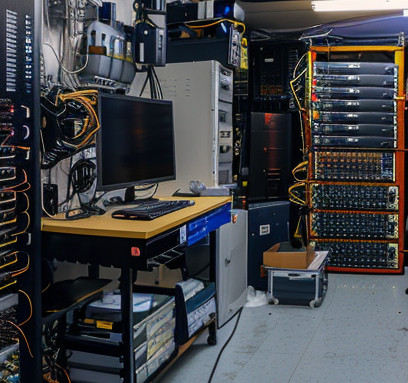
Data centre migration is a complex process that requires careful planning and execution. Whether you’re moving to a new physical location, transitioning to the cloud, or upgrading your infrastructure, a successful migration is crucial for maintaining business continuity and maximizing the benefits of your new environment. In this article, we’ll explore the five key stages of a successful data centre migration to help you navigate this challenging but rewarding process.
Assessment and Planning
The foundation of any successful data centre migration lies in thorough assessment and planning. This initial stage is critical and often the most time-consuming, but it sets the tone for the entire project.
Begin by conducting a comprehensive inventory of your current infrastructure, including hardware, software, applications, and data. Identify dependencies between systems and applications to understand the potential impact of moving each component. This inventory will help you determine what needs to be moved, what can be decommissioned, and what might need to be upgraded or replaced.
Next, define your objectives for the migration. Are you looking to reduce costs, improve performance, enhance scalability, or all of the above? Clear goals will guide your decision-making throughout the process.
Develop a detailed migration strategy that outlines the approach you’ll take (e.g., phased migration vs. big bang), timeline, budget, and resource allocation. Consider potential risks and develop mitigation strategies. This is also the time to assemble your migration team, assigning roles and responsibilities to ensure smooth execution.
Design and Build
With your plan in place, the next stage focuses on designing your new data centre environment and building the necessary infrastructure.
If you’re moving to a new physical location, this stage involves designing the layout of your new data centre, including power distribution, cooling systems, and network connectivity. For cloud migrations, it means designing your new cloud architecture and setting up virtual environments.
During this stage, you’ll also need to address any compatibility issues identified during the assessment phase. This might involve upgrading software, replacing hardware, or developing new interfaces between systems.
Security should be a top priority in your design. Ensure that your new environment meets or exceeds your current security standards and complies with relevant regulations.
Finally, build and test your new environment. This includes setting up servers, storage systems, and network equipment in your new physical location, or configuring your cloud environment if you’re moving to the cloud.
Migration Execution
With your new environment ready, it’s time to execute the migration. This stage involves the actual transfer of data, applications, and services from your old environment to the new one.
Follow your migration plan, moving systems and data in the order you’ve determined will cause the least disruption to your business operations. Use automated migration tools where possible to reduce the risk of human error and speed up the process.
Communication is crucial during this stage. Keep all stakeholders informed about the progress of the migration and any potential impacts on business operations. Have a clear escalation process in place to quickly address any issues that arise.
Monitor the migration closely to ensure data integrity and to catch any problems early. Be prepared to roll back changes if necessary.
Testing and Validation
Once the migration is complete, thorough testing and validation are essential to ensure everything is working as expected in the new environment.
Start with basic connectivity and functionality tests, then move on to more complex scenarios. Test all critical business applications and processes to verify they’re operating correctly. Pay special attention to performance, ensuring that systems are running at least as efficiently as they were in the old environment.
Conduct security tests to confirm that all security measures are in place and functioning properly. This includes testing firewalls, access controls, and data encryption.
Involve end-users in the testing process. They can provide valuable feedback on application performance and functionality from a user perspective.
Optimization and Decommissioning
The final stage of a successful data centre migration involves optimizing your new environment and decommissioning the old one.
Once everything is up and running in the new environment, look for opportunities to optimize performance and efficiency. This might involve fine-tuning configurations, adjusting resource allocations, or implementing new management tools.
Monitor your new environment closely in the weeks following the migration. This will help you identify any lingering issues and ensure that performance meets or exceeds expectations.
Finally, decommission your old environment. This includes securely wiping data from old hardware, disposing of or recycling equipment in an environmentally responsible manner, and terminating any redundant services or leases.
Conclusion
A successful data centre migration requires careful planning, execution, and follow-up. By following these five key stages – assessment and planning, design and build, migration execution, testing and validation, and optimization and decommissioning – you can minimize disruption to your business operations and maximize the benefits of your new data centre environment.
Remember, every migration is unique, and flexibility is key. Be prepared to adapt your plan as needed throughout the process, and don’t hesitate to seek expert assistance if you encounter challenges along the way. With the right approach, your data centre migration can be a transformative step forward for your organization’s IT infrastructure.